

Record concerns, build chronologies, run cases and evidence every decision in one place, built around Keeping Children Safe in Education and ready for inspection on any day.
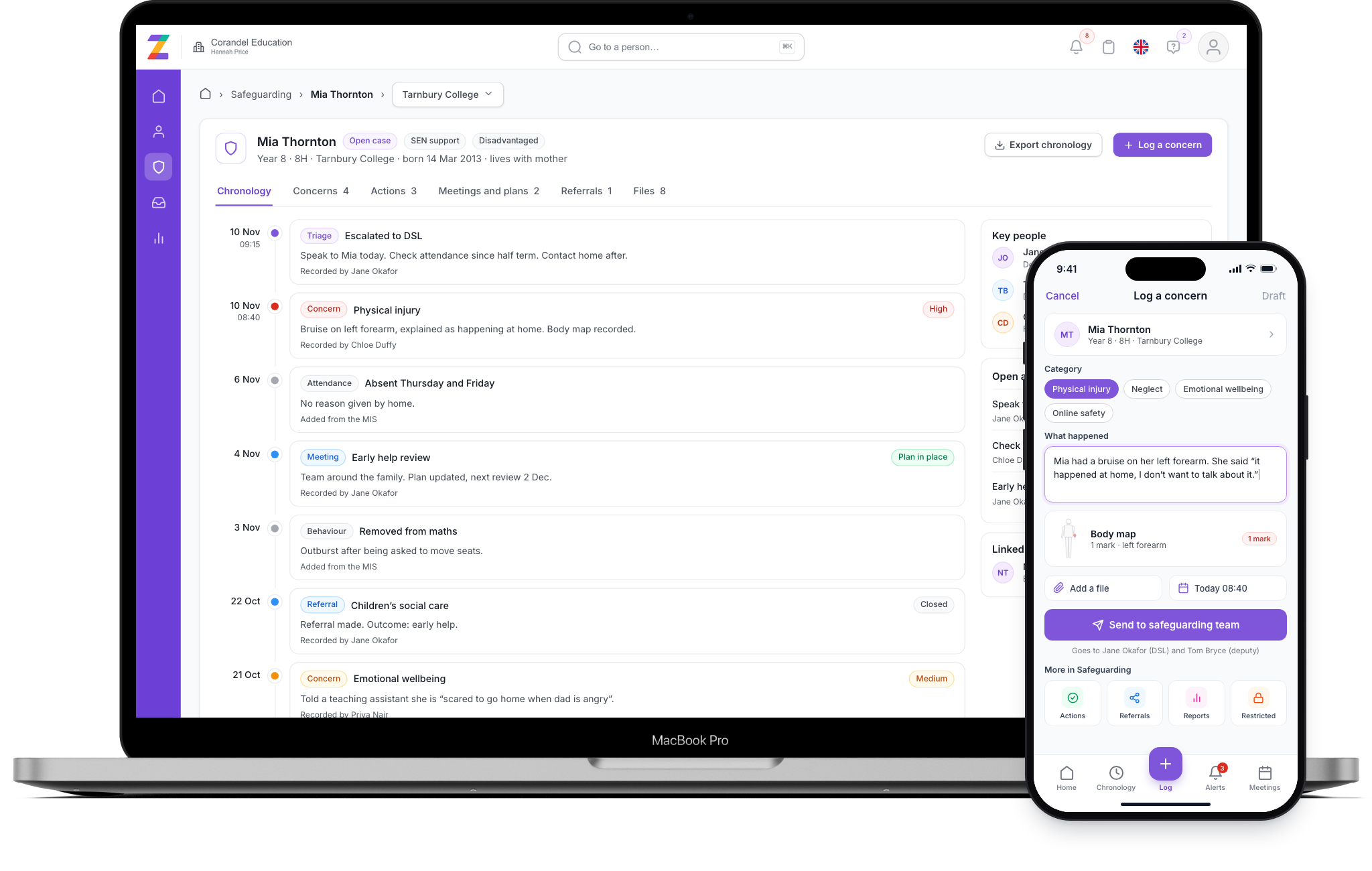
Zeffer holds every concern, chronology, action and referral in one secure place, joined to the same student and staff records as the rest of Zeffer. Nothing is kept on paper, in email inboxes or in a spreadsheet.
Concerns arrive with the child's full history beside them, so DSLs spend their time on decisions.
Chronologies, actions and outcomes are dated as they happen, ready for Ofsted, ISI or Estyn.
Each school runs its own team, while trust leads see patterns without opening case files.
Teachers, support staff, coaches and volunteers can raise a concern from school or from home.
Everything below works from the same student record, so a concern, an action or a meeting appears in the child's chronology the moment it is recorded.
Quick concern forms for one student or several, your own categories, body maps and attached evidence.
Triage, escalation, actions and outcomes, each with a named owner.
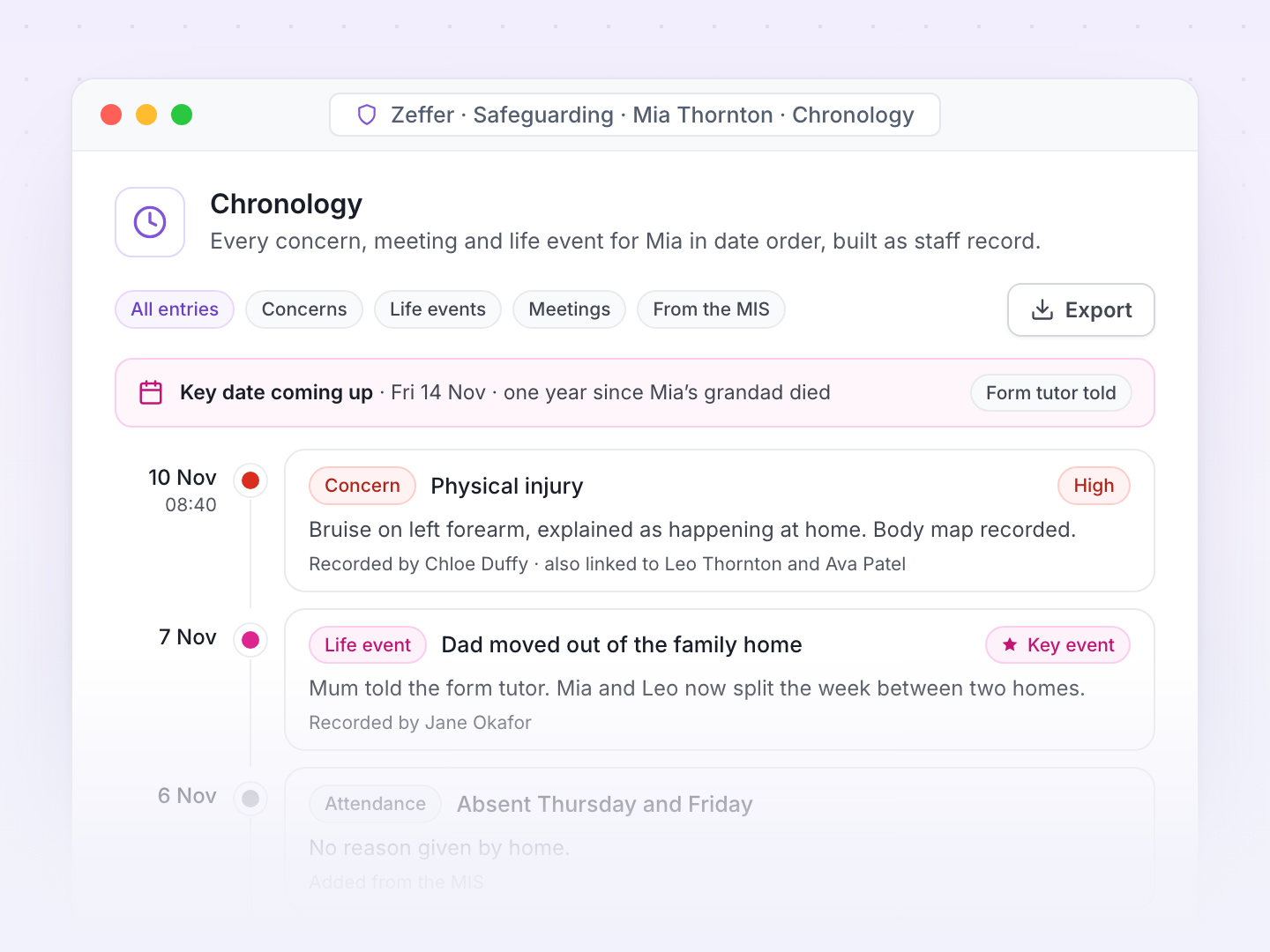
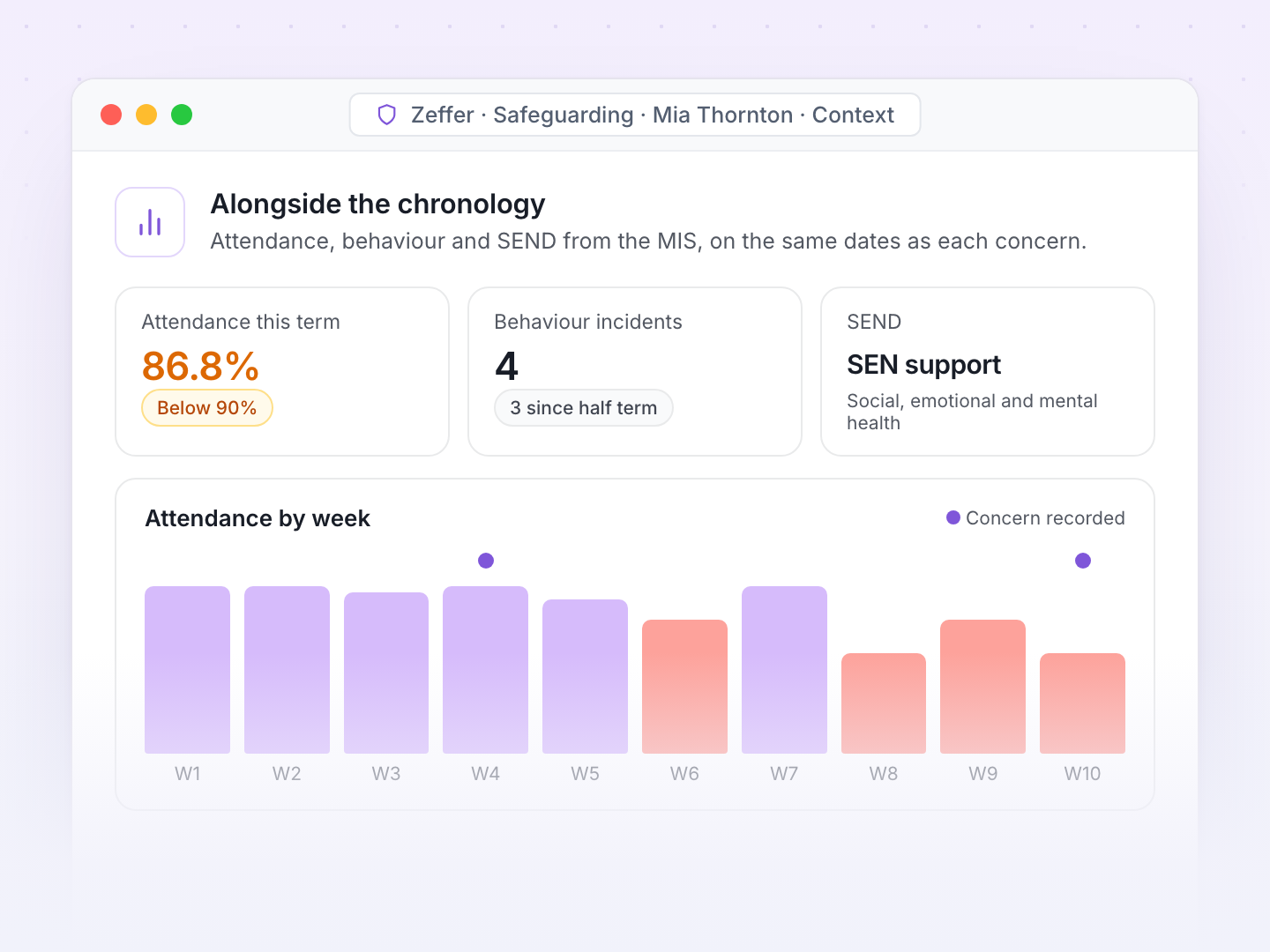
Every entry and life event for a child in date order, beside attendance, behaviour and SEND.
Restricted records, role-based access and a full audit trail.
Governor and inspection reports, trends and trust-wide oversight.
Child protection, child in need and early help meetings, plans and referrals.
The right people told at once, with reminders when actions slip.
Secure files between schools and time-limited sharing with agencies.
Any member of staff can log what they saw or heard, in the child's own words where possible. A concern can be about one child or link everyone involved. Zeffer asks only for what the safeguarding team needs to act, then files it straight into each child's chronology.
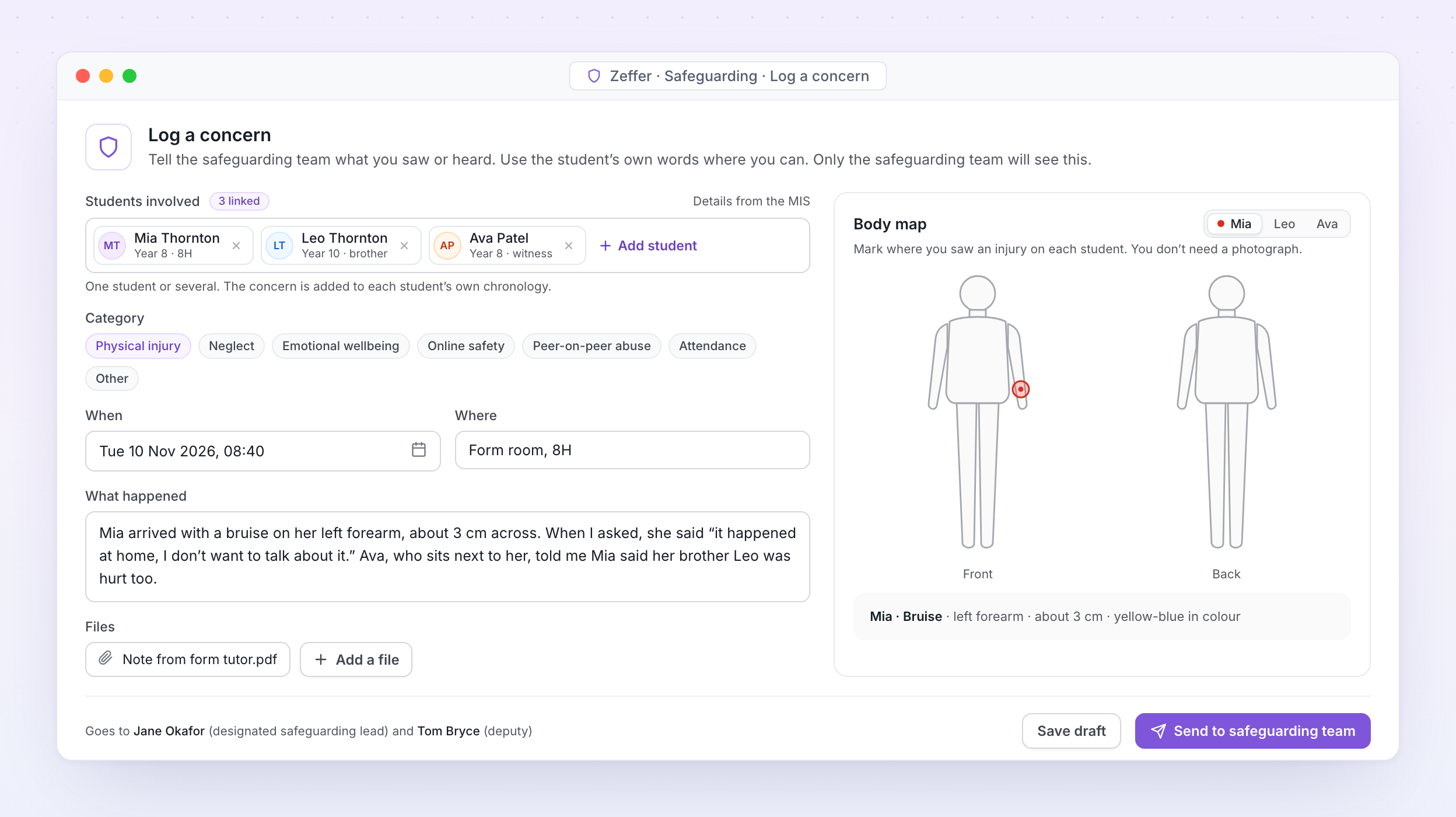
Log a concern. A member of staff adds every student involved, records what they saw, marks the injury on the body map and sends it to the safeguarding team, who are told straight away.
Add one student, or everyone involved in the same incident, then say what happened, when, where and what was said. Student details fill in from your MIS.
Set your own concern categories, fields and forms for each school, or once for the whole group.
Mark where an injury is, front or back, with its type and size. No photograph needed.
Attach letters, emails, photos of written work and meeting notes. Everything stays inside Zeffer.
Concerns can be raised on any device, so nothing waits until the next morning.
Staff see only what they have recorded. Nothing about a concern appears on the student's wider record.
Zeffer follows the record keeping KCSIE asks of every school: a written record of each concern, the decisions taken and the reasons for them, kept securely and passed on when a child moves school.
Every concern lands in the safeguarding team's queue. The DSL decides what happens next, assigns actions with due dates and records the outcome, and Zeffer keeps the whole history.
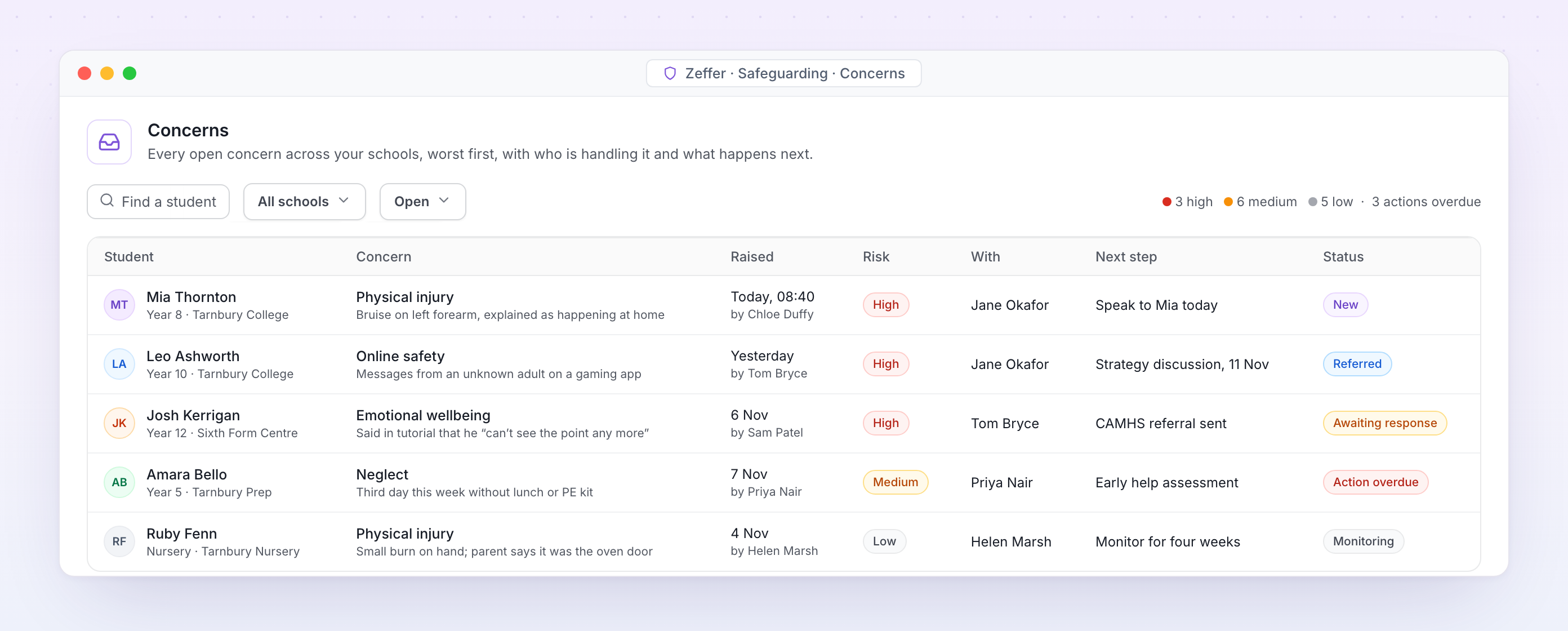
Concerns. Every open concern across your schools, worst first, with who is handling it and what happens next.
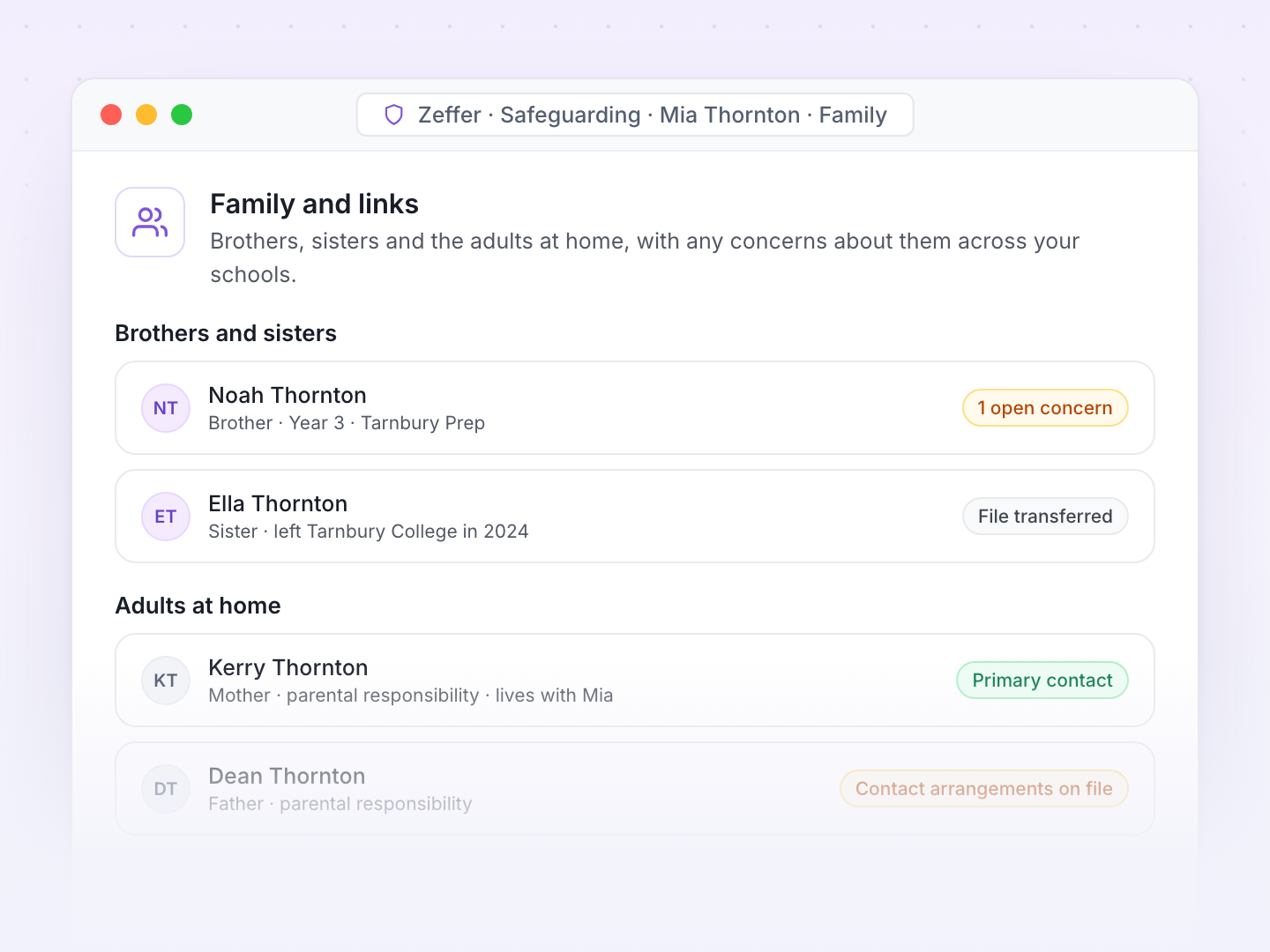
The chronology builds itself as staff record. The DSL sees every concern, action, meeting and life event in date order, alongside the attendance, behaviour and SEND information that often tells the rest of the story.
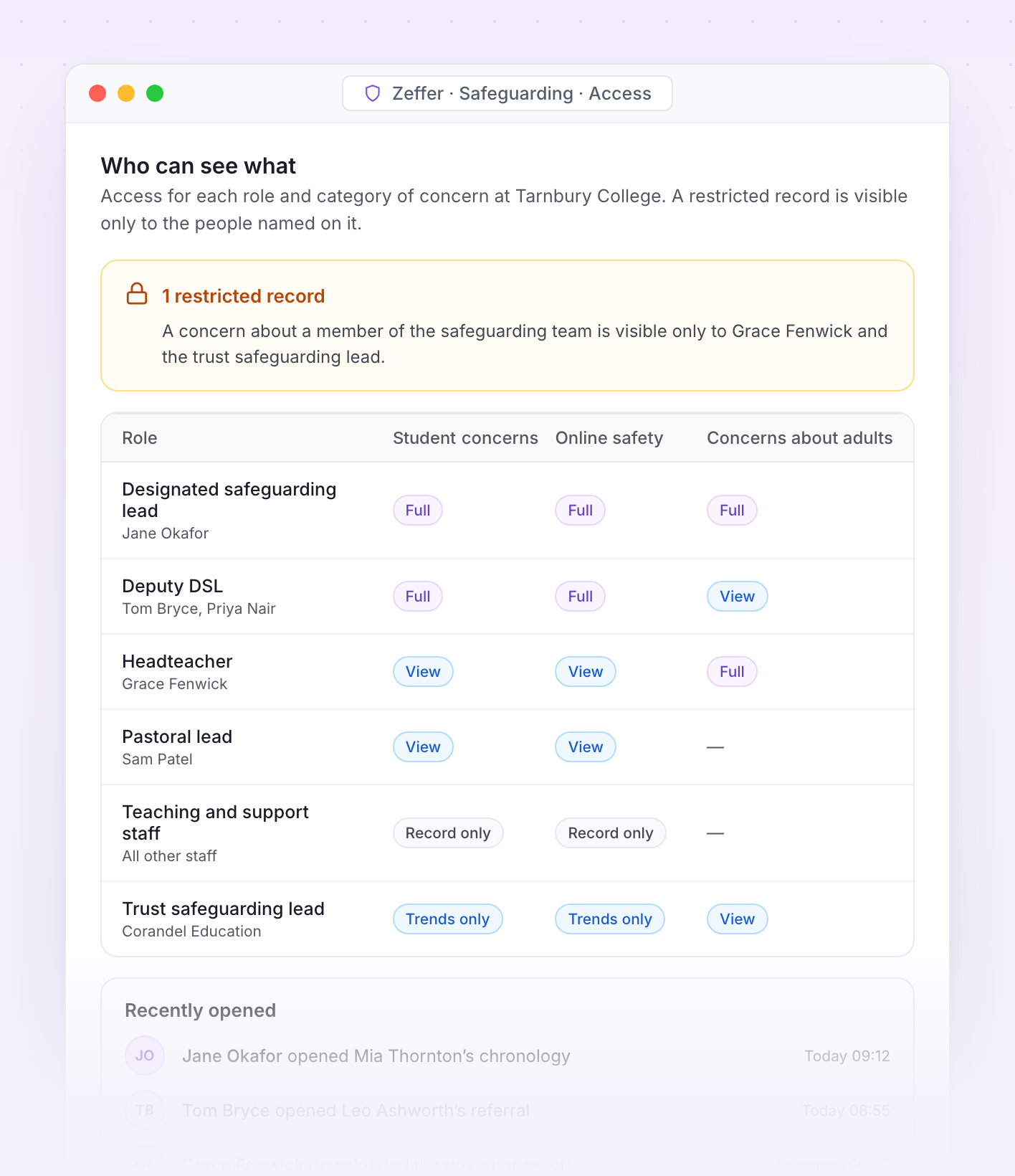
Access. Who can see each category of concern at Tarnbury College, and which records are restricted to named staff.
Safeguarding information is shared on a need-to-know basis. Each school decides who can see each category of concern, and Zeffer records every view.
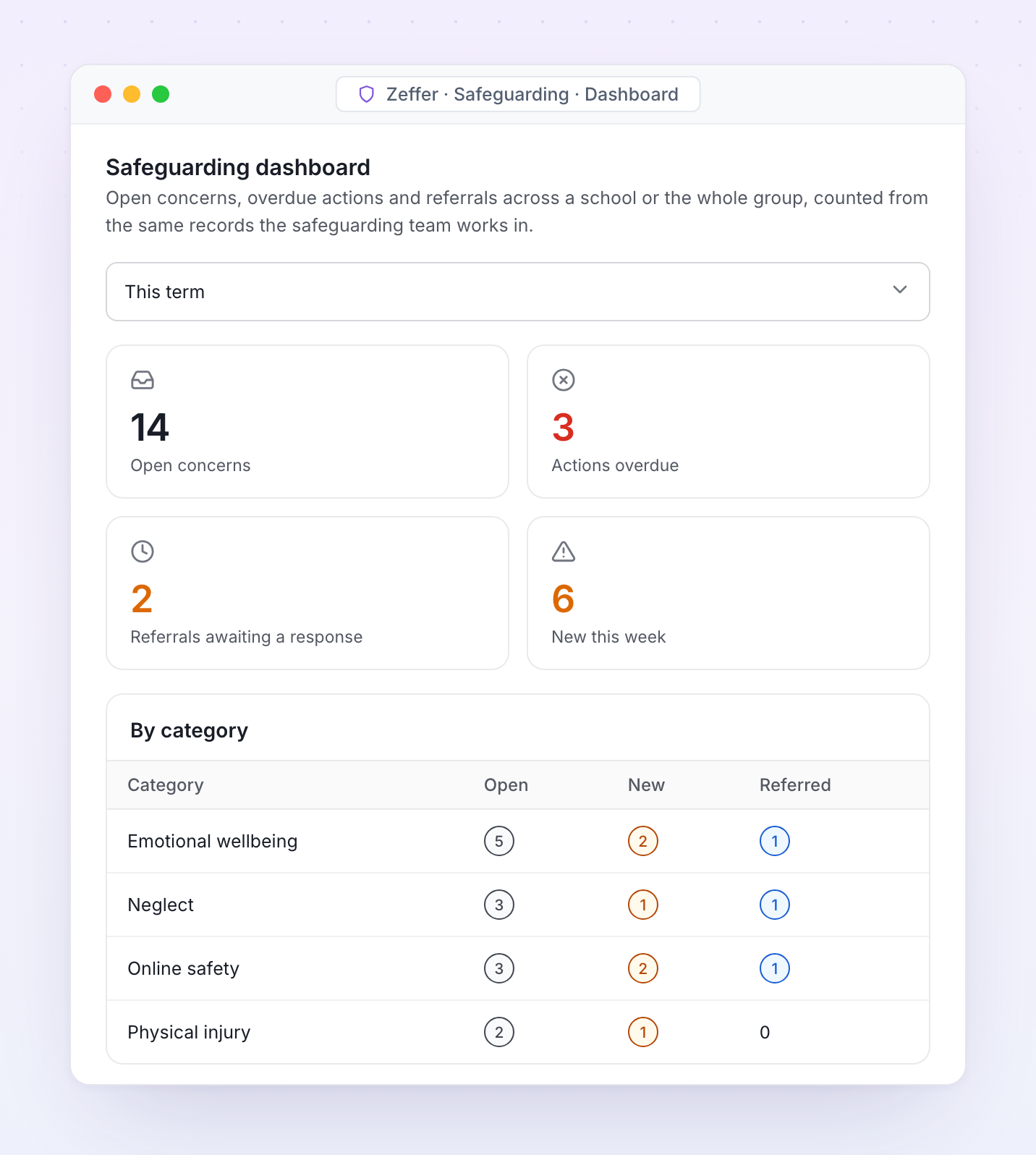
Reports come from the same records the safeguarding team works in, so the numbers always agree. Produce the termly governor report, an inspection summary or a trust-wide view in minutes.
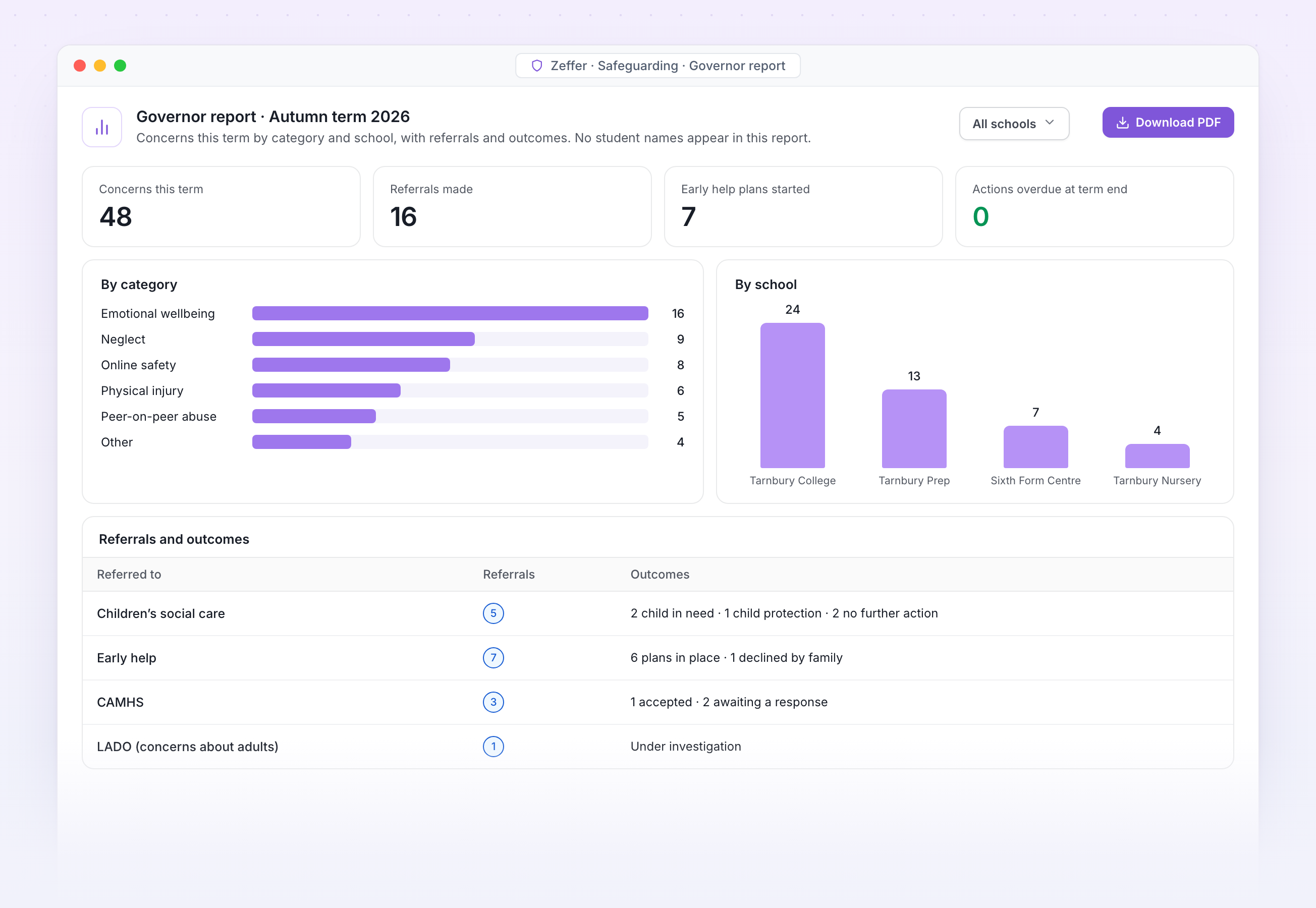
Governor report. Concerns this term by category and school, with referrals and outcomes and no student names, ready for the safeguarding governor.
With filters for SEND, looked-after children and disadvantaged students.
Compare schools across the trust without showing individual students.
Any report as a spreadsheet or PDF, with a record of who downloaded it.
Termly governor reports by category, year group, school and outcome.
An inspection summary for Ofsted, ISI or Estyn, as at any date.
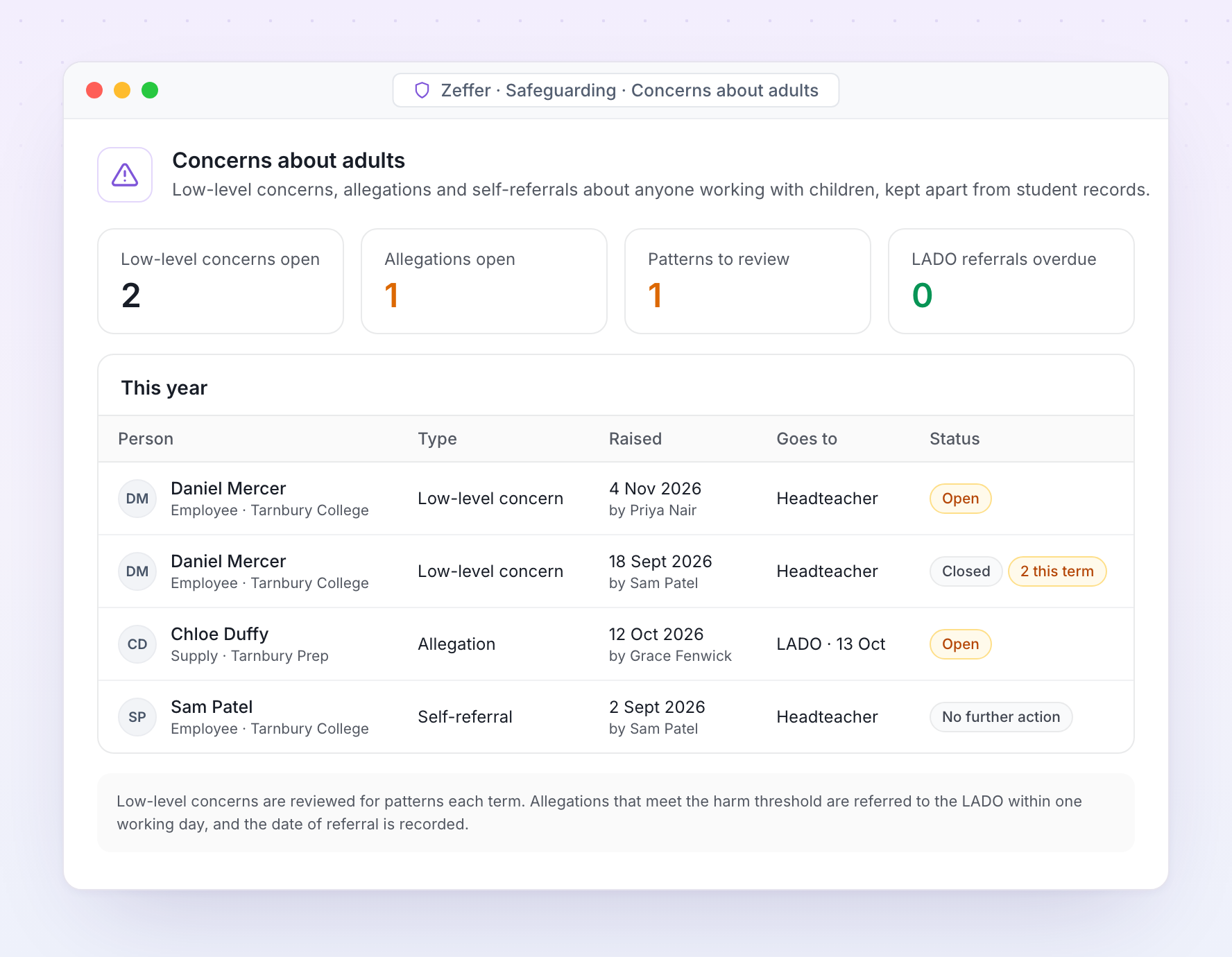
Concerns about adults are kept apart from student records, with their own access. Low-level concerns, allegations and self-referrals each follow the route KCSIE sets out.
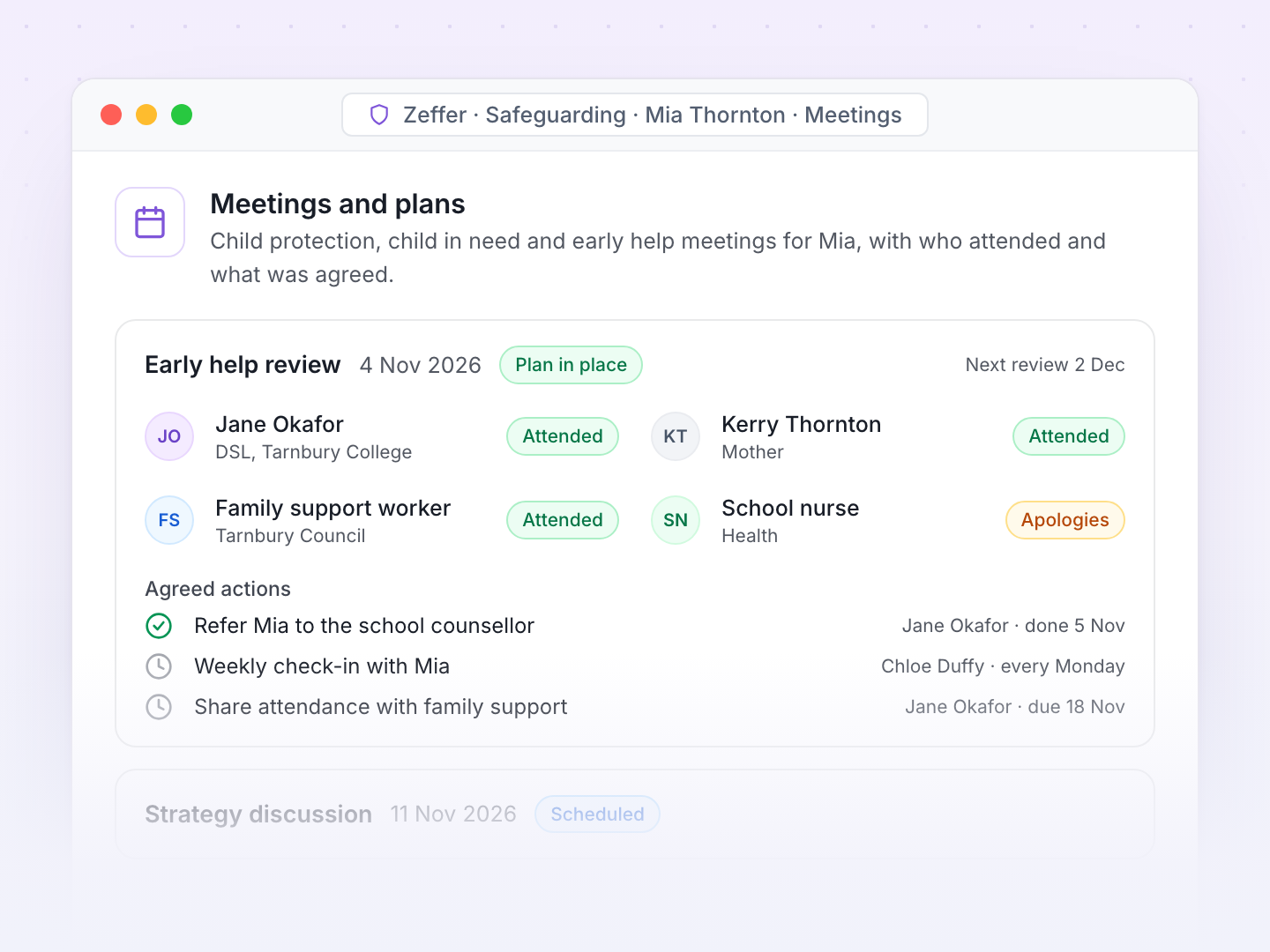
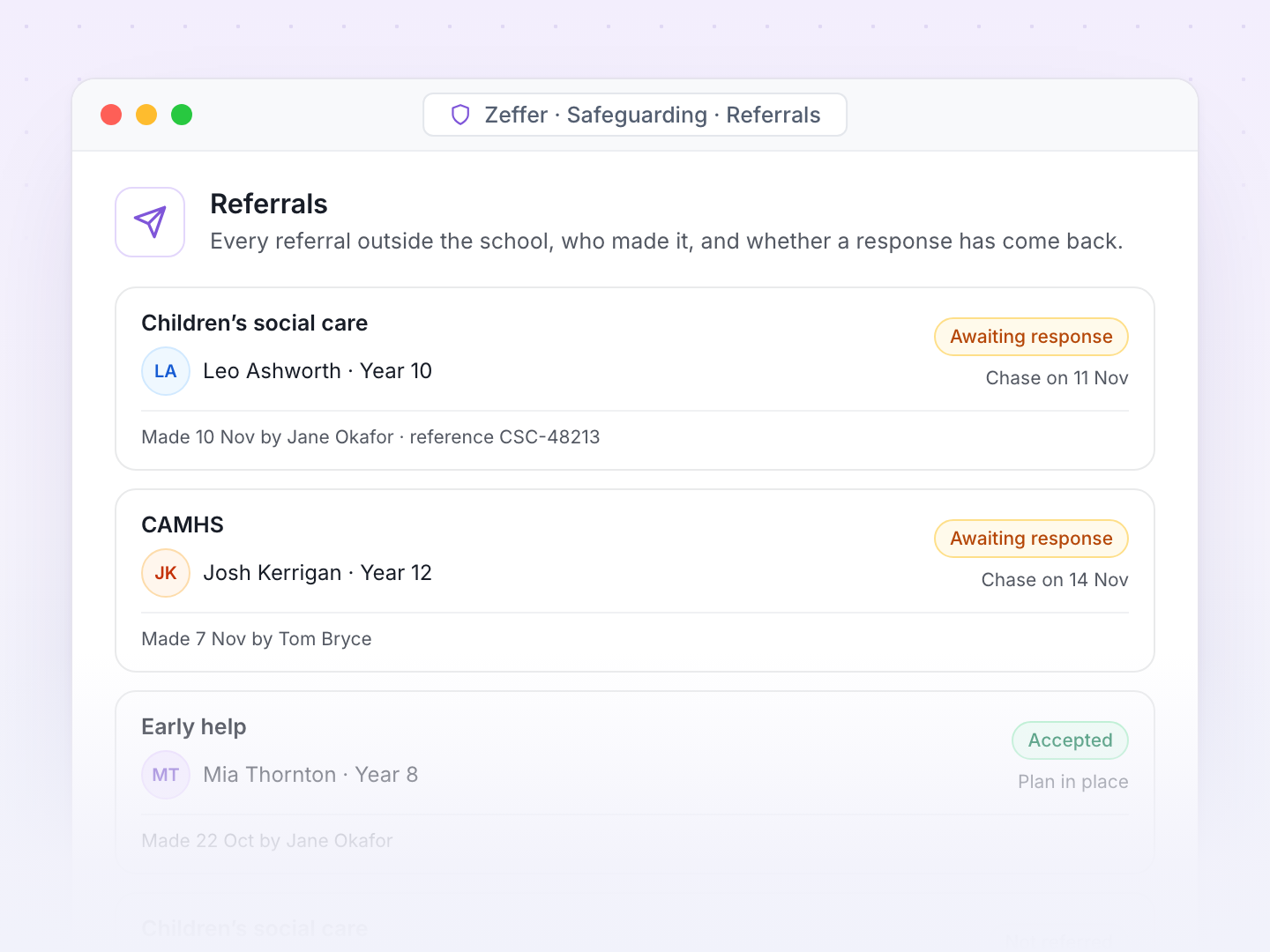
Strategy discussions, case conferences and early help reviews are recorded against the child, with actions that flow back into the chronology.
When a concern is raised, the safeguarding team knows within seconds. Zeffer routes each concern by school, category and risk, and follows up when actions slip.
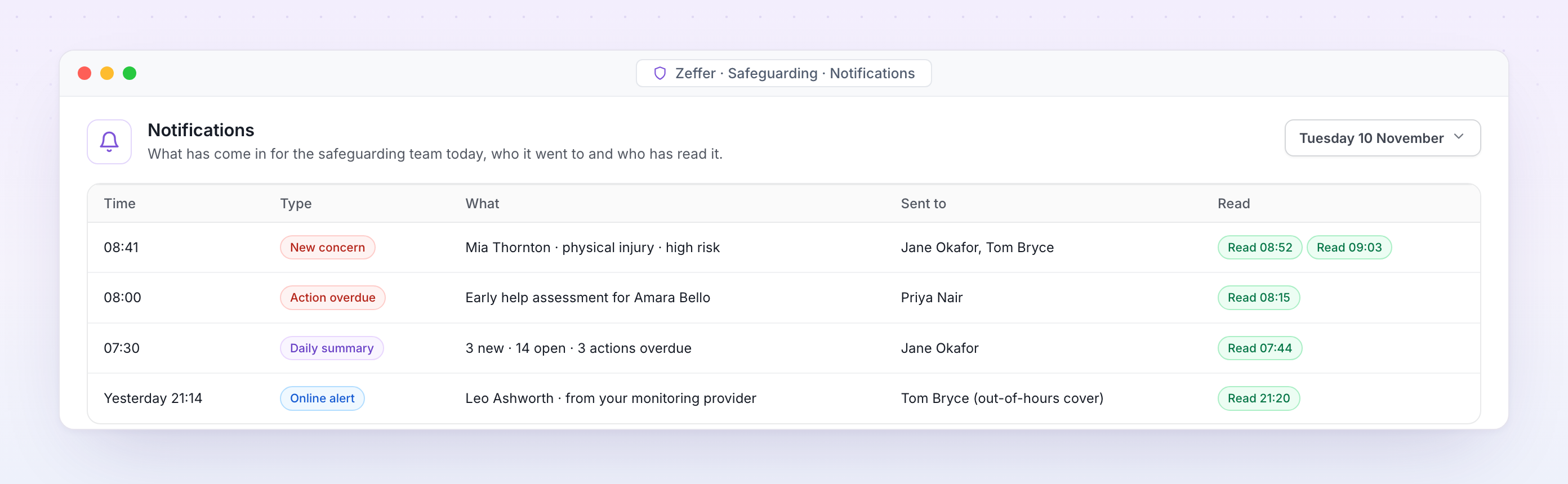
Notifications. What came in for the safeguarding team today, who it went to and who has read it.
Instant alerts to the DSL and deputies, by email and in Zeffer, the moment a concern is raised.
Routing by school, category and level of risk, so the right person sees it first.
Ask a colleague to read an entry, and see when they have.
Reminders before actions and plan reviews fall due, and alerts when they are overdue.
An out-of-hours rota, so a deputy is told when the DSL is away.
A daily summary for the DSL of everything new, open and overdue.
When a student joins or leaves, their safeguarding file moves securely and on time, as KCSIE expects, with a record of what was sent, to whom and when.
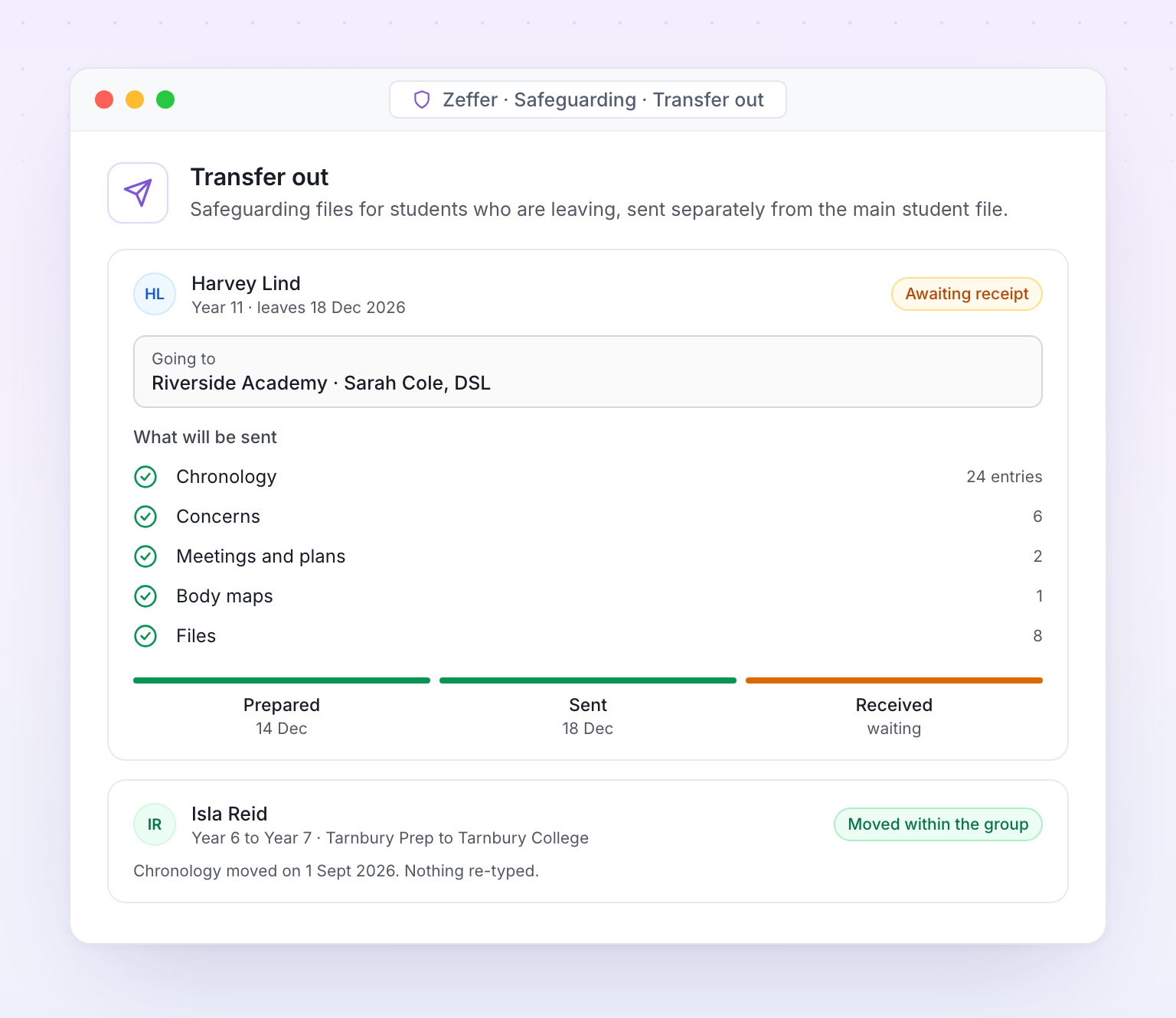
Transfer out. What will be sent, to which school, and confirmation that their DSL has received it.
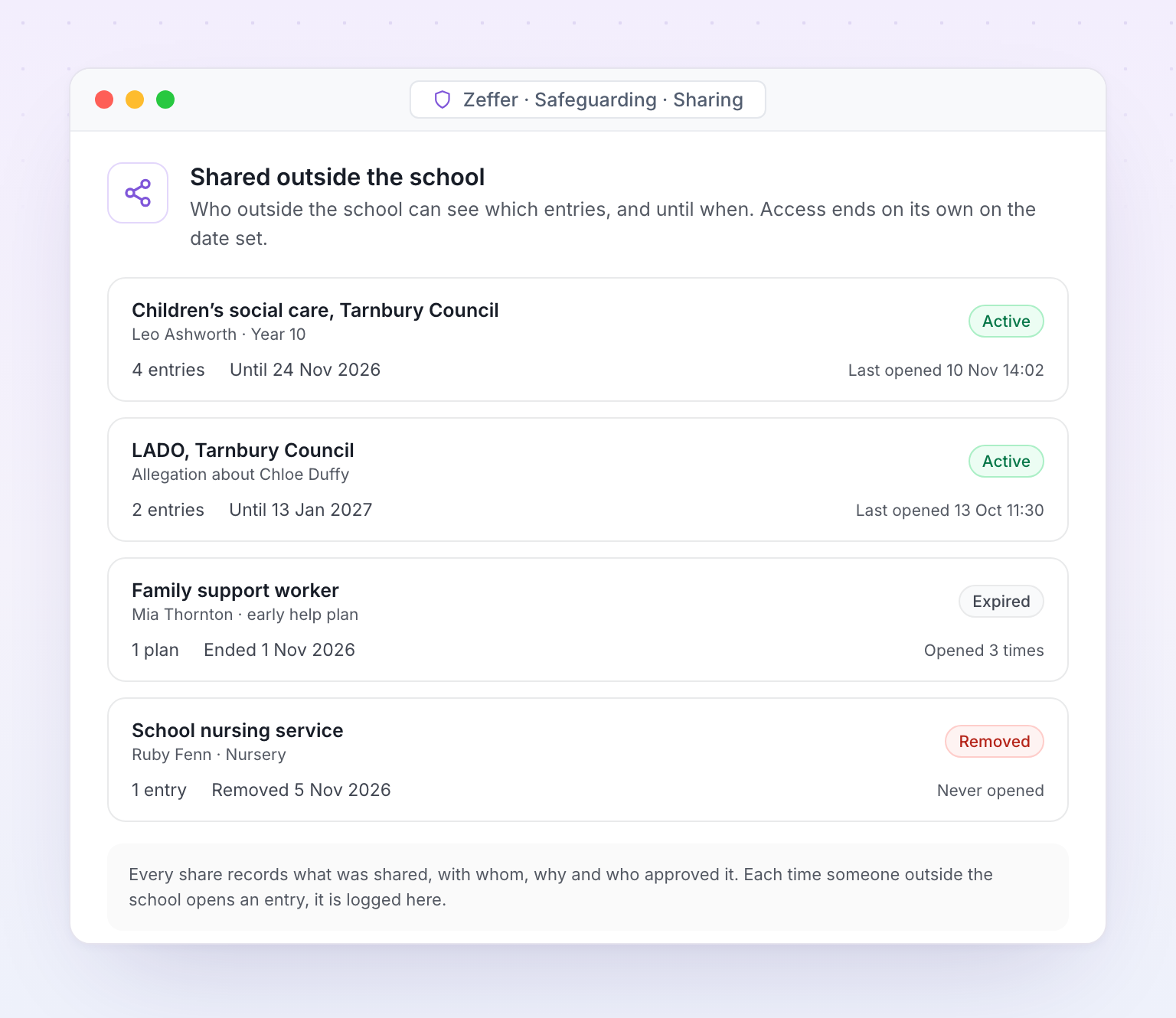
Who outside the school can see which entries, and until when.
Students, staff, classes and contacts come from your MIS every night. Alerts from your online monitoring arrive as concerns, and safeguarding roles and training come straight from Zeffer HR.
Your filtering or monitoring provider flags something a student has typed or viewed.
Zeffer files it as a concern against the right student.
The DSL is alerted and reviews it with the child's chronology beside it.
The DSL decides what happens next: no further action, monitor, act or refer.
The decision and the reason for it are added to the chronology.
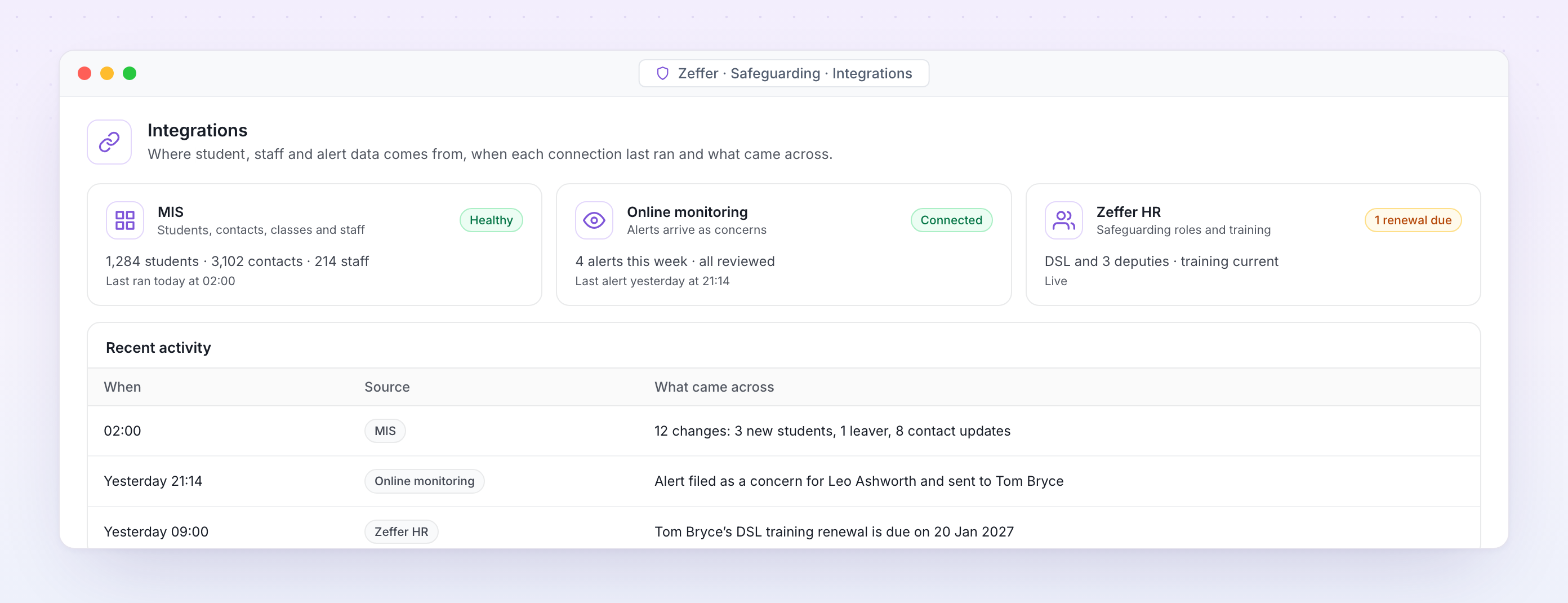
Integrations. Where student, staff and alert data comes from, when each connection last ran and what came across.
Students, contacts, classes and staff from your MIS every night, with no double entry.
Alerts from your filtering and monitoring provider arrive as concerns, ready for the DSL.
DSL appointments and safeguarding training come from the staff record, so the team list is always right.
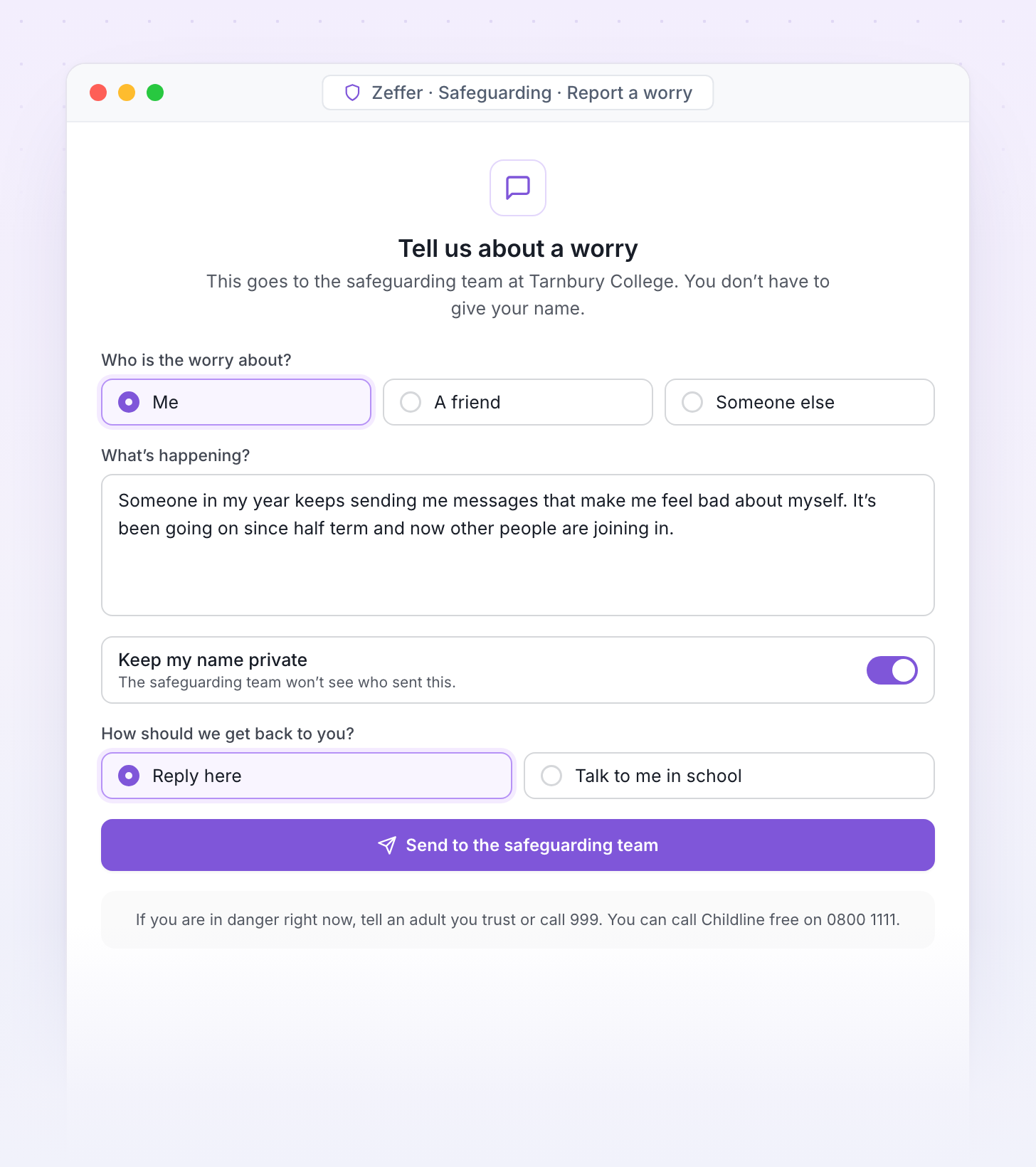
Students, parents and visitors can raise a worry from any device, anonymously if they choose. Every report reaches the safeguarding team and lands in the right chronology.
A simple form students open from a link or QR code, written in words they understand.
A secure link on your website for families to raise a concern.
Reports can be sent without a name, and the safeguarding team can still reply.
Visitors see your safeguarding information when they sign in, and can report a worry before they leave.
A separate route for low-level concerns about staff, which goes to the headteacher.
Every report is triaged by the safeguarding team like any other concern.
We will walk your safeguarding team through recording a concern, the DSL's queue, chronologies and reporting, using sample data for a school set up like yours.