
Any member of staff can log what they saw or heard, in the child's own words where possible. Zeffer asks only for what the safeguarding team needs to act, then files it straight into the child's chronology.
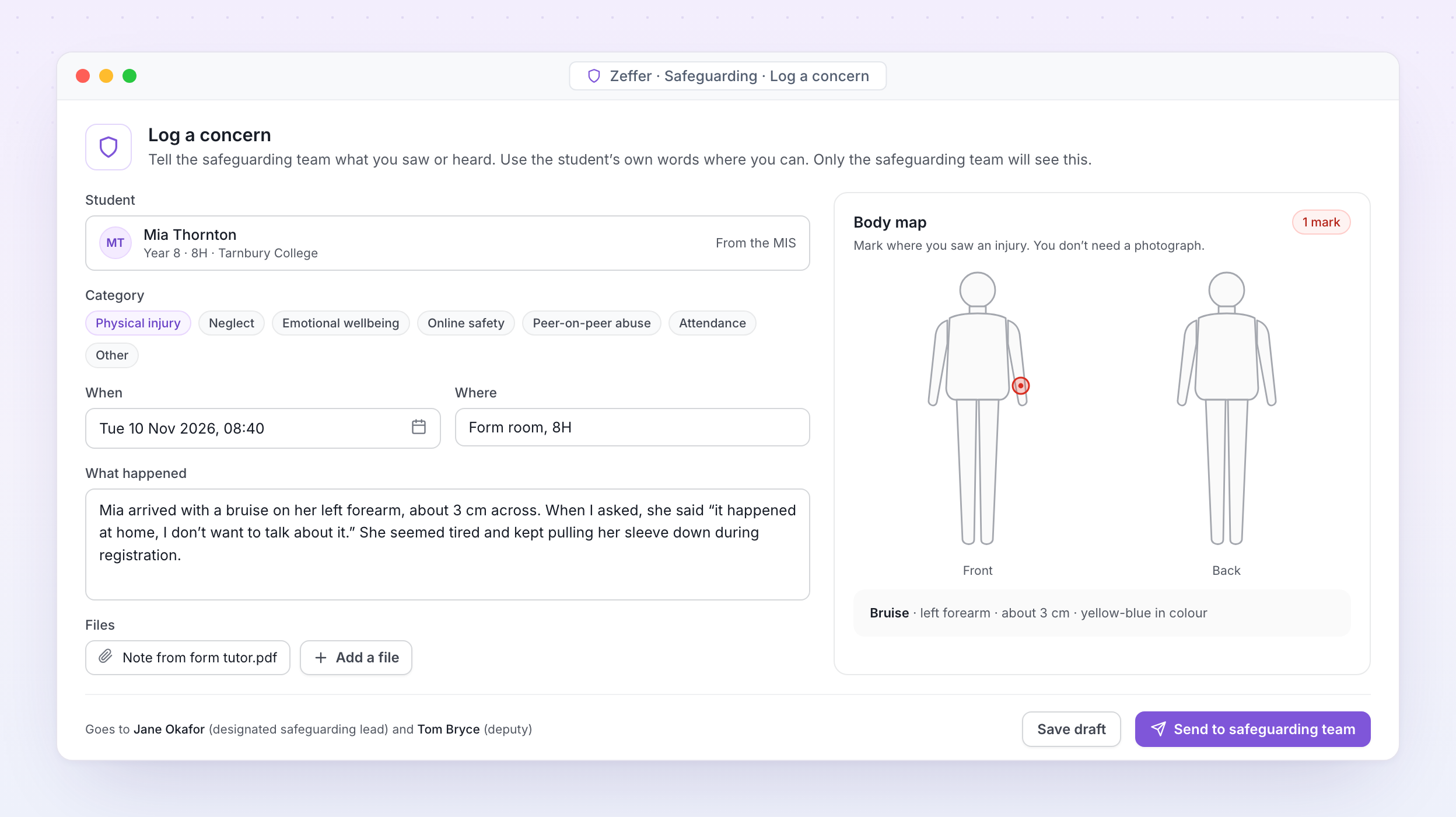
Log a concern. A member of staff records what they saw, marks the injury on the body map and sends it to the safeguarding team, who are told straight away.
Student, what happened, when, where and what was said. Student details fill in from your MIS.
Set your own concern categories, fields and forms for each school, or once for the whole group.
Mark where an injury is, front or back, with its type and size. No photograph needed.
Attach letters, emails, photos of written work and meeting notes. Everything stays inside Zeffer.
Concerns can be raised on any device, so nothing waits until the next morning.
Staff see only what they have recorded. Nothing about a concern appears on the student's wider record.
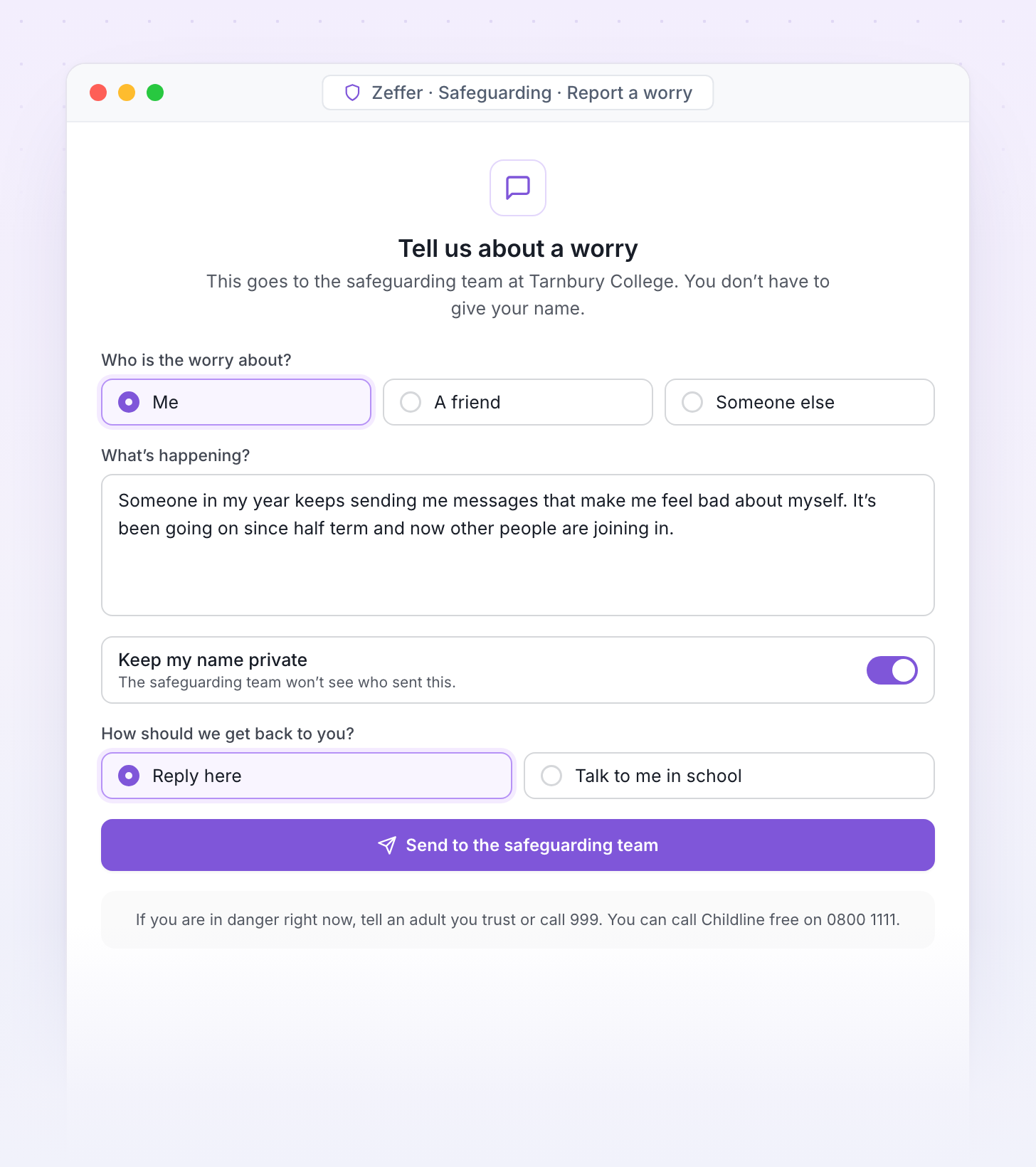
Students, parents and visitors can raise a worry from any device, anonymously if they choose. Every report reaches the safeguarding team and lands in the right chronology.
A simple form students open from a link or QR code, written in words they understand.
A secure link on your website for families to raise a concern.
Reports can be sent without a name, and the safeguarding team can still reply.
Visitors see your safeguarding information when they sign in, and can report a worry before they leave.
A separate route for low-level concerns about staff, which goes to the headteacher.
Every report is triaged by the safeguarding team like any other concern.
Start next year's budget in one step, release packs to budget holders with a deadline and review what comes back. Then approve the budget and send it to your accounting system as one file.
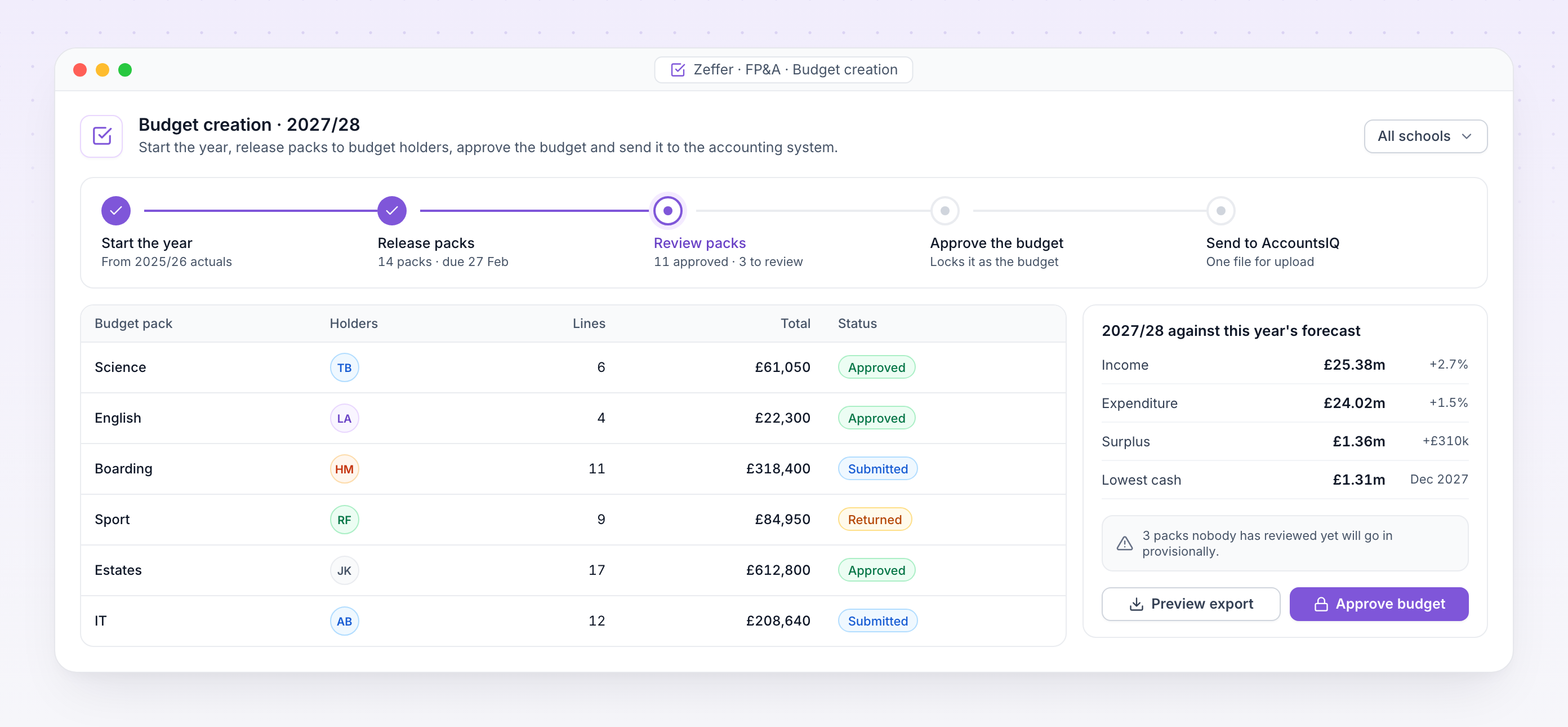
Budget creation. Next year's budget part way through review, with each pack's status and the year set against this year's forecast.