

Build the budget with the people who spend it, forecast income, expenditure and cash every month, and plan five years ahead, all from your accounting, MIS and HR data.
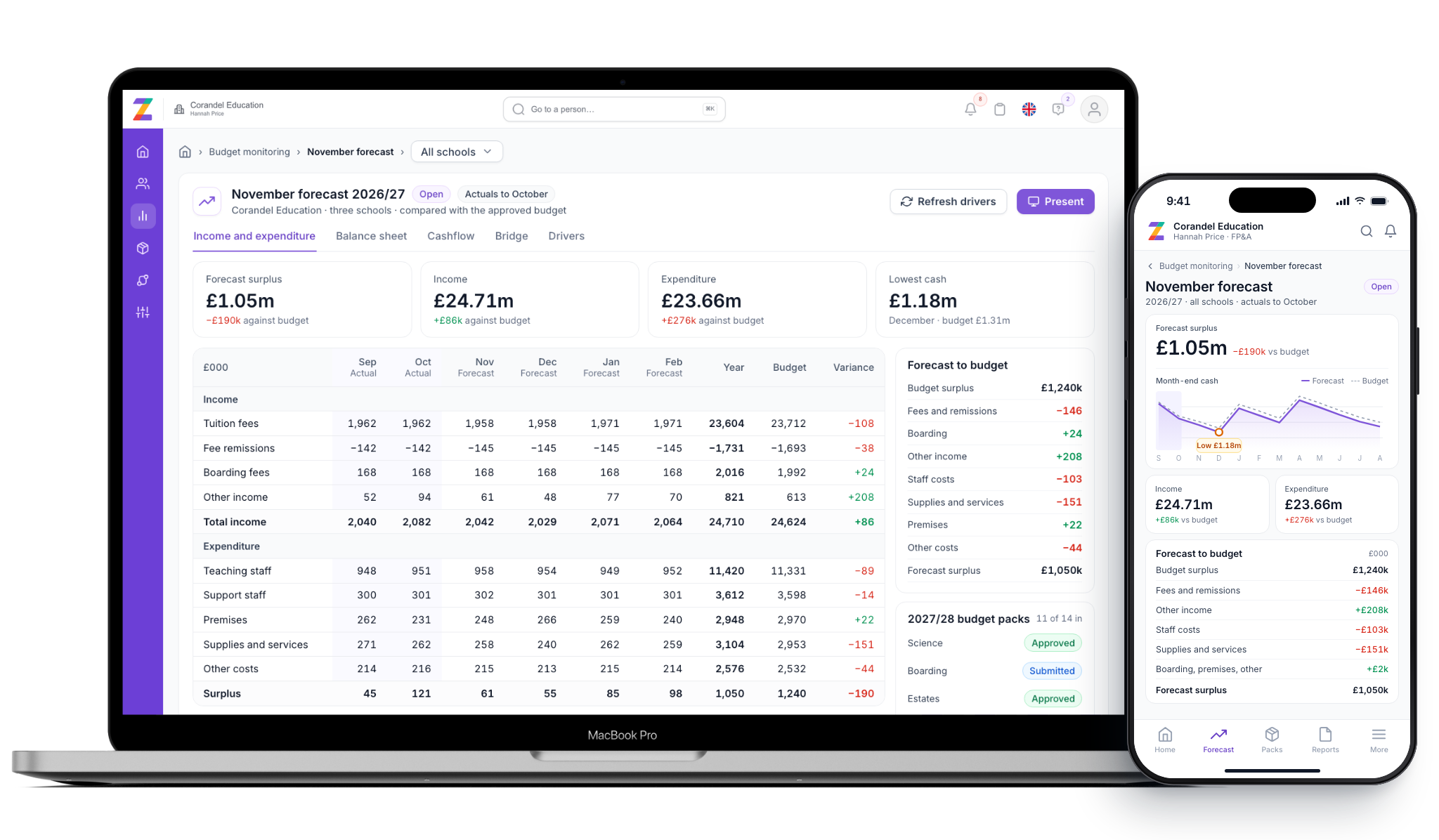
Zeffer brings your accounting system, MIS and HR together in one live forecast of income and expenditure, balance sheet and cash. Budget holders, finance and governors all work from the same figures, so there is no spreadsheet to reconcile at the end of the month.

Actuals, students and staff arrive on their own, so the finance team spends its time on decisions, not on copying numbers between workbooks.
Heads of department fill in their own budget pack, see what they spent last year and submit it in one step.
Management accounts and five-year plans come from the same forecast, with every figure traceable to where it came from.
Each school plans on its own accounting entity. The group sees the consolidated picture without re-keying anything.
Everything below feeds the same forecast, so a new student, a pay change or an approved pack line reaches the I&E, the balance sheet and the cashflow at once.
Budget holders build their own lines, with when each counts and when it is paid.
Start the year from actuals, approve the budget and send it to your accounting system.
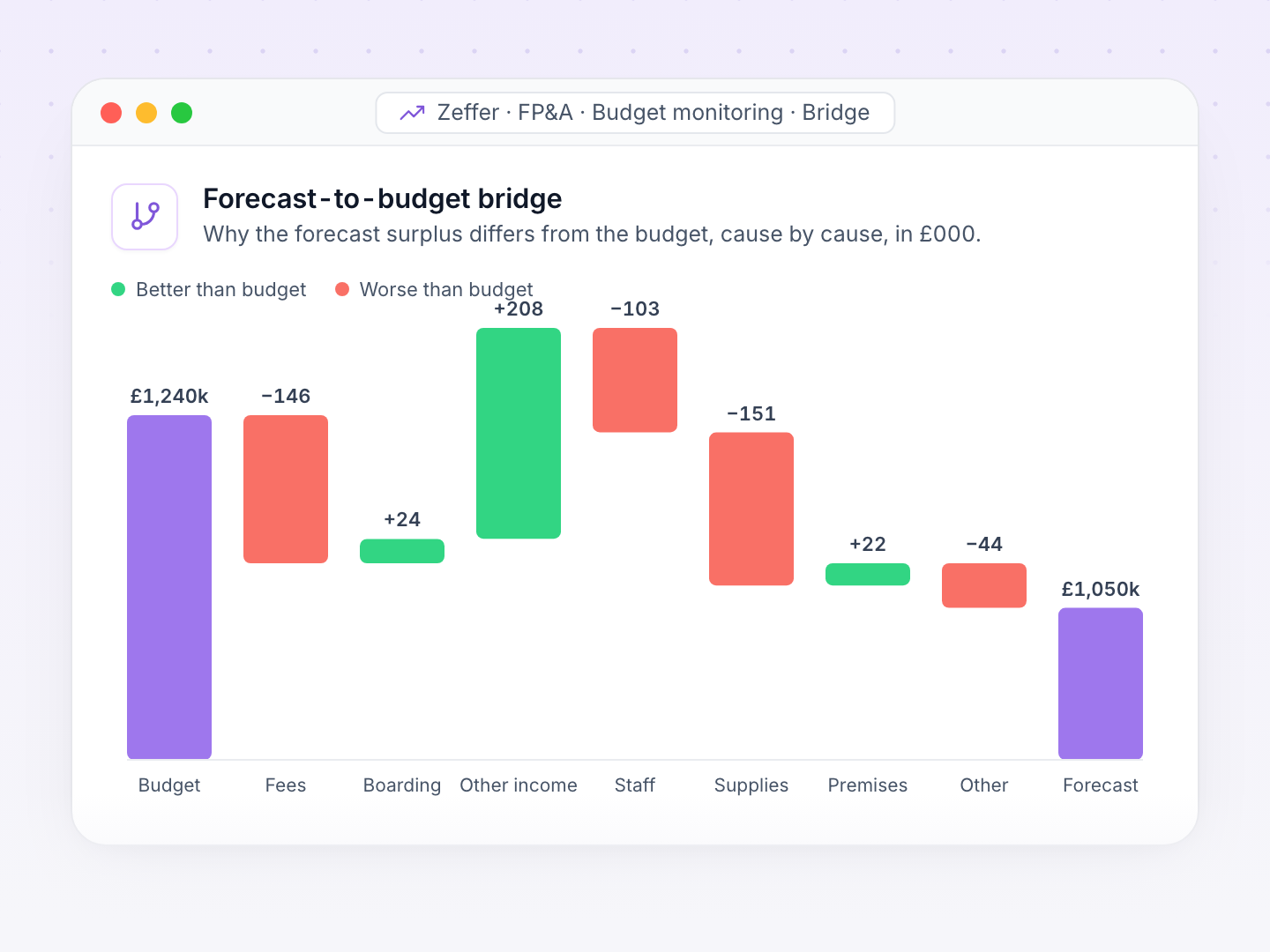
A new forecast each month, measured against the budget and explained line by line.
Fee income from your roll, with remissions, deposits and fees in advance.
Every job costed from the HR record, with NI, pension, absence and one-off payments.
Capital programmes, leases, loans and covenants in the same plan.
Cash at every month end, with VAT settlements and the lowest point named.
Five-year plans, scenarios and stress tests, shared with governors.
Each department gets its own budget pack. Budget holders add what they expect to spend or receive, line by line, and submit it. Finance reviews, returns or approves each pack, and the forecast reads every figure the moment it is typed.
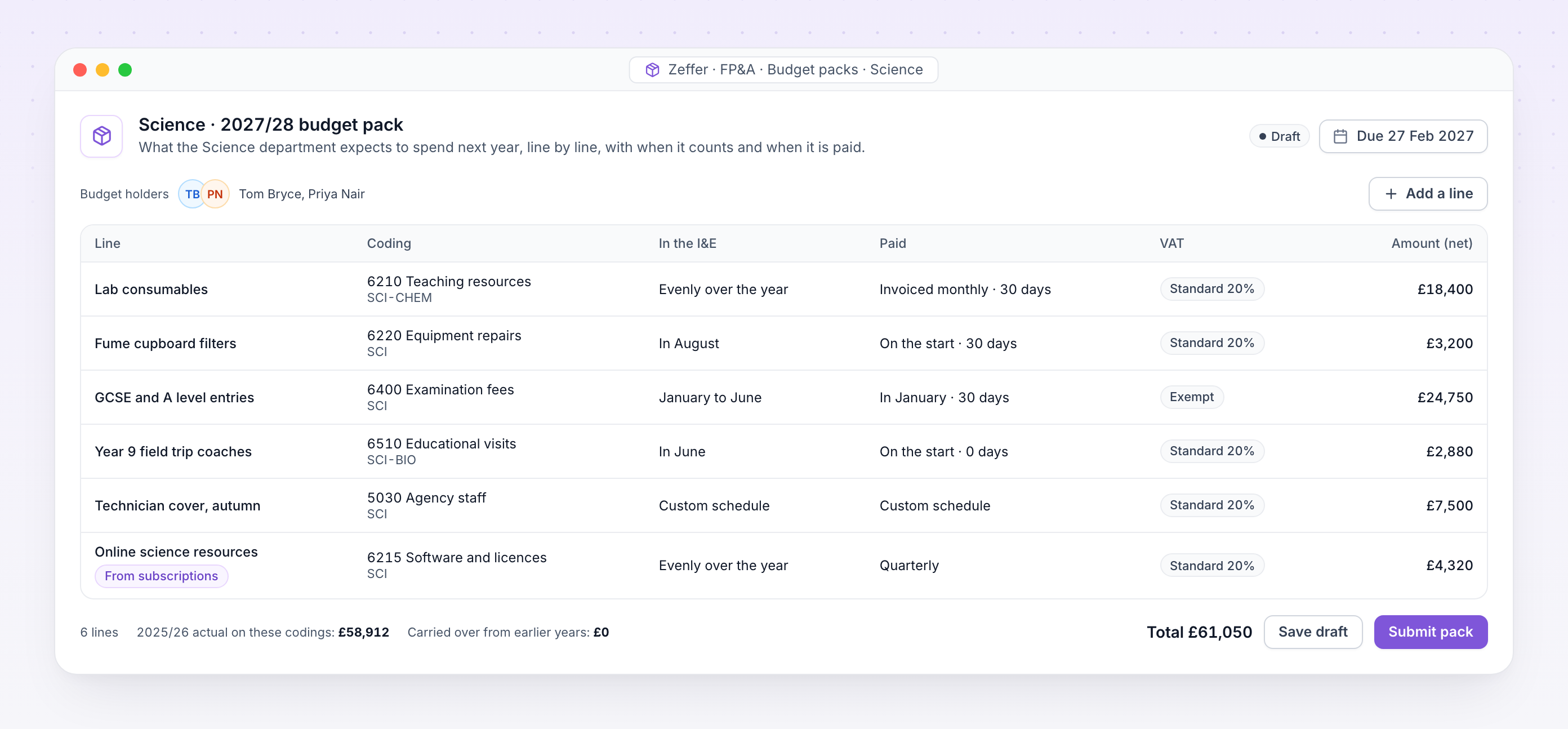
Budget pack. Science's lines for next year, each with its coding, when it counts in the I&E, when it is paid and its VAT.
Every line sits on a nominal and analysis code from your own chart, so the budget lands where the actuals will.
A recognition profile says when a line reaches the I&E. A cash profile says when it is invoiced and paid.
Lines are entered net of VAT with a VAT code. Zeffer works out the VAT and when it is settled.
Holders see what was spent on each coding last year while they plan the next.
Charge a share of a line to other schools, and each receiving school sees it in its own pack.
Draft, released, submitted, approved: finance sees where every pack stands, with one deadline for the year.
Record each subscription once, with its contract term, renewal and notice period. Zeffer works out what each year costs and when it is paid, and fills the right budget pack with it every year.
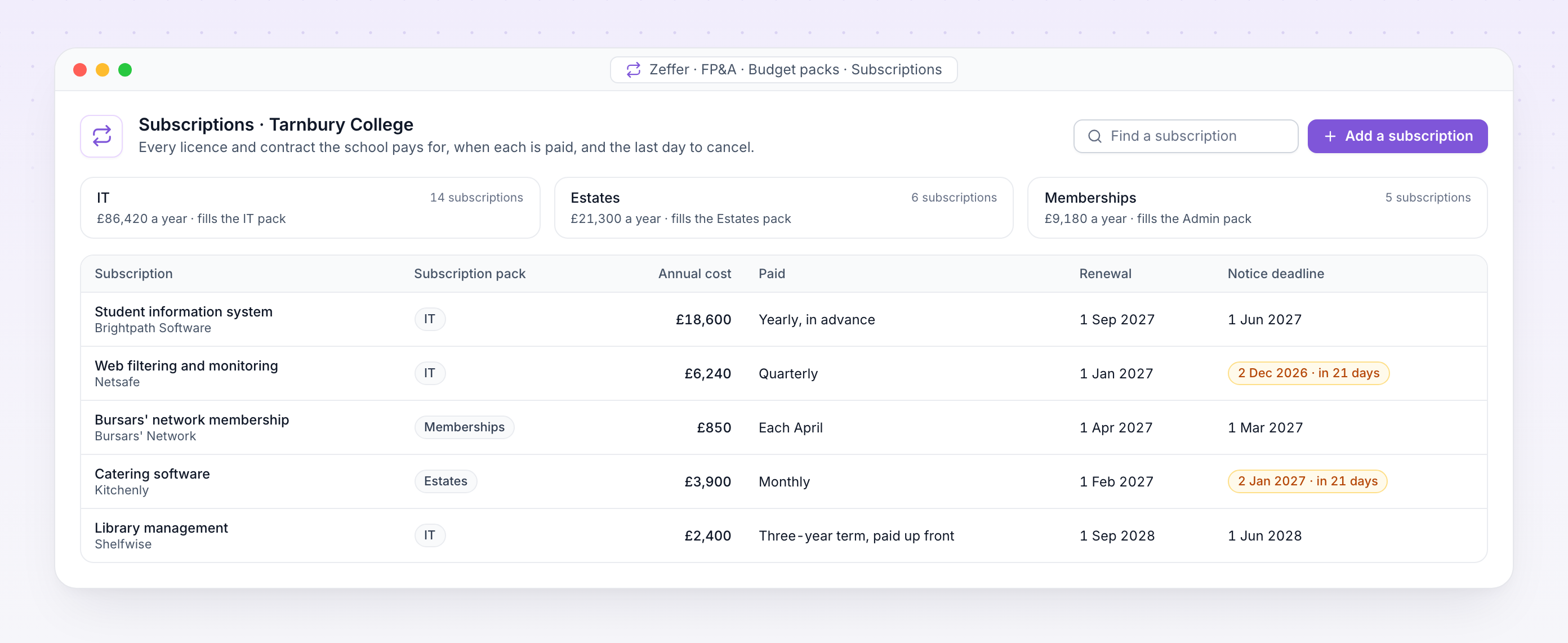
Subscriptions. Every licence and contract at one school, how it is paid, when it renews and the last day to give notice.
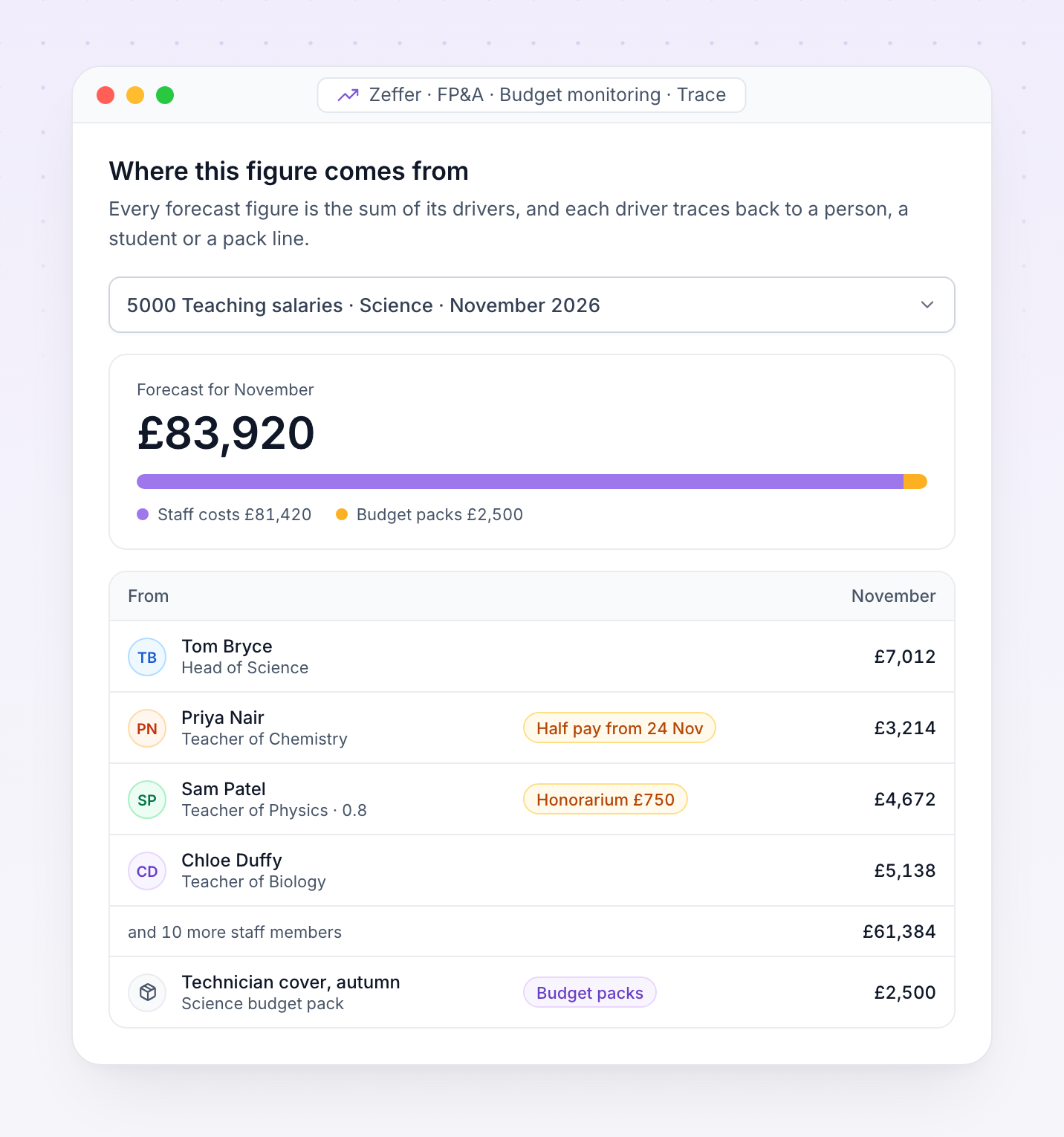
A forecast should be explainable. Open any figure in Zeffer to see the drivers it is made of, down to the member of staff, the student or the pack line behind it.
Start next year's budget in one step, release packs to budget holders with a deadline and review what comes back. Then approve the budget and send it to your accounting system as one file.
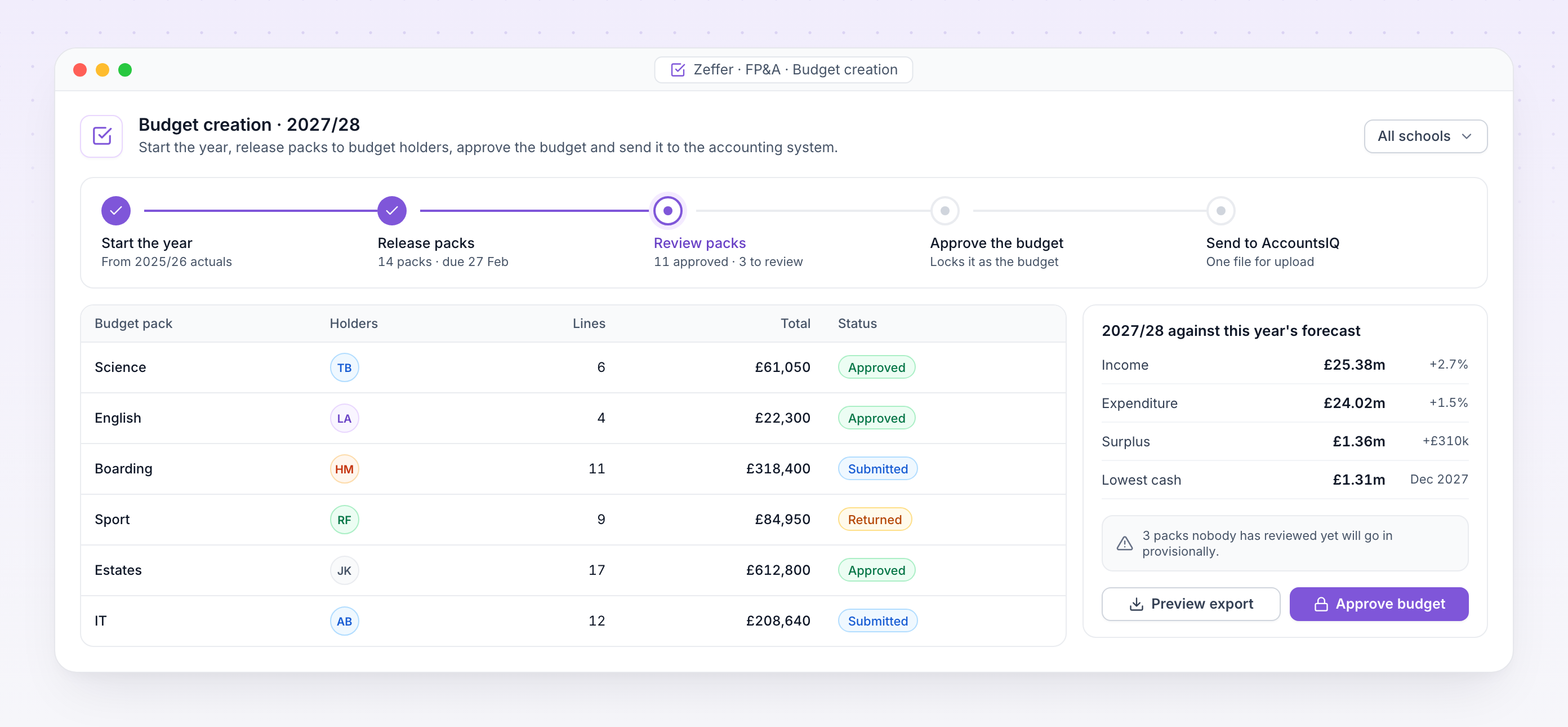
Budget creation. Next year's budget part way through review, with each pack's status and the year set against this year's forecast.
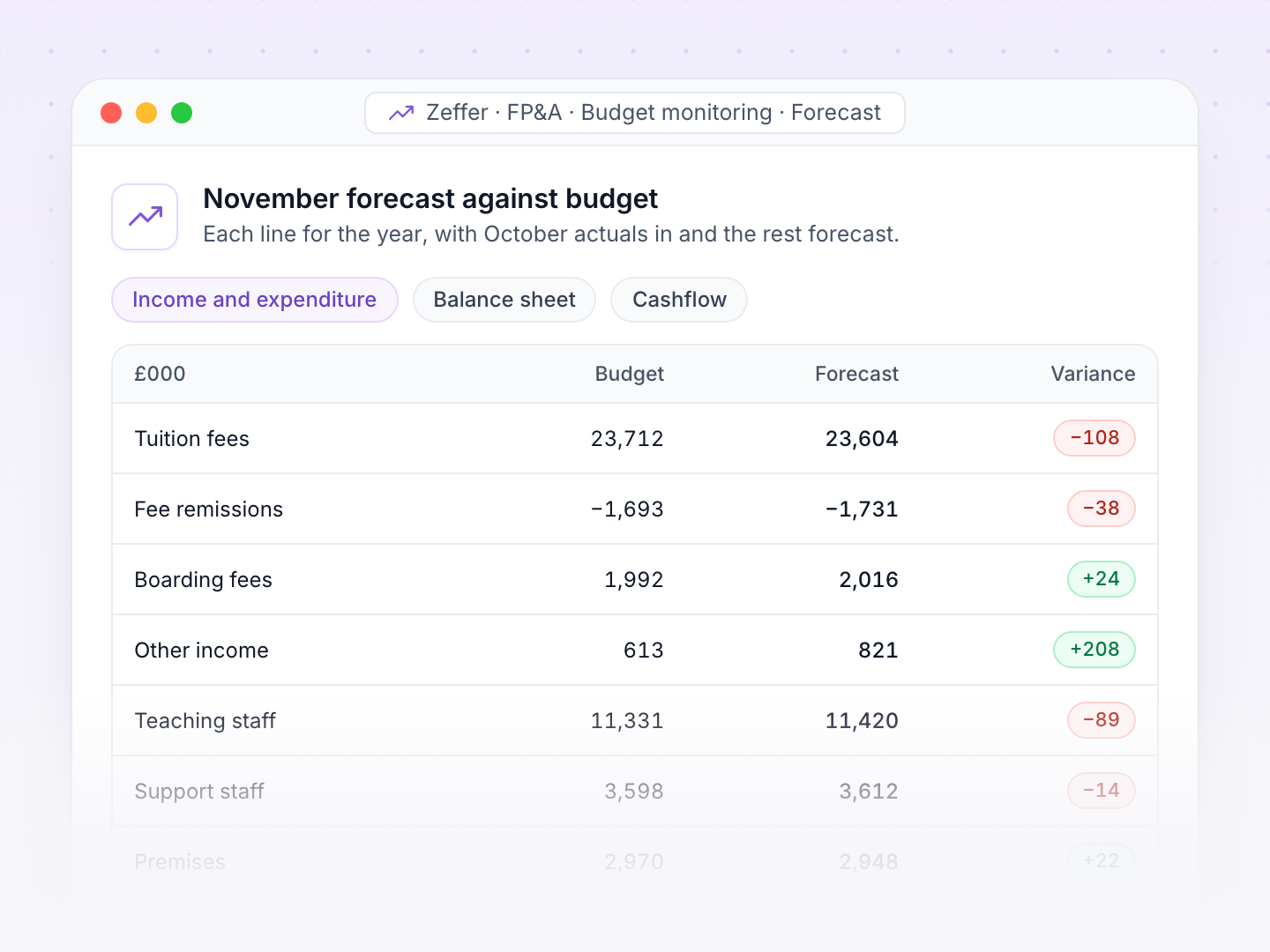
Each month the actuals from your accounting system replace the forecast for the months that have closed. Zeffer measures the rest of the year against the approved budget and explains every difference.
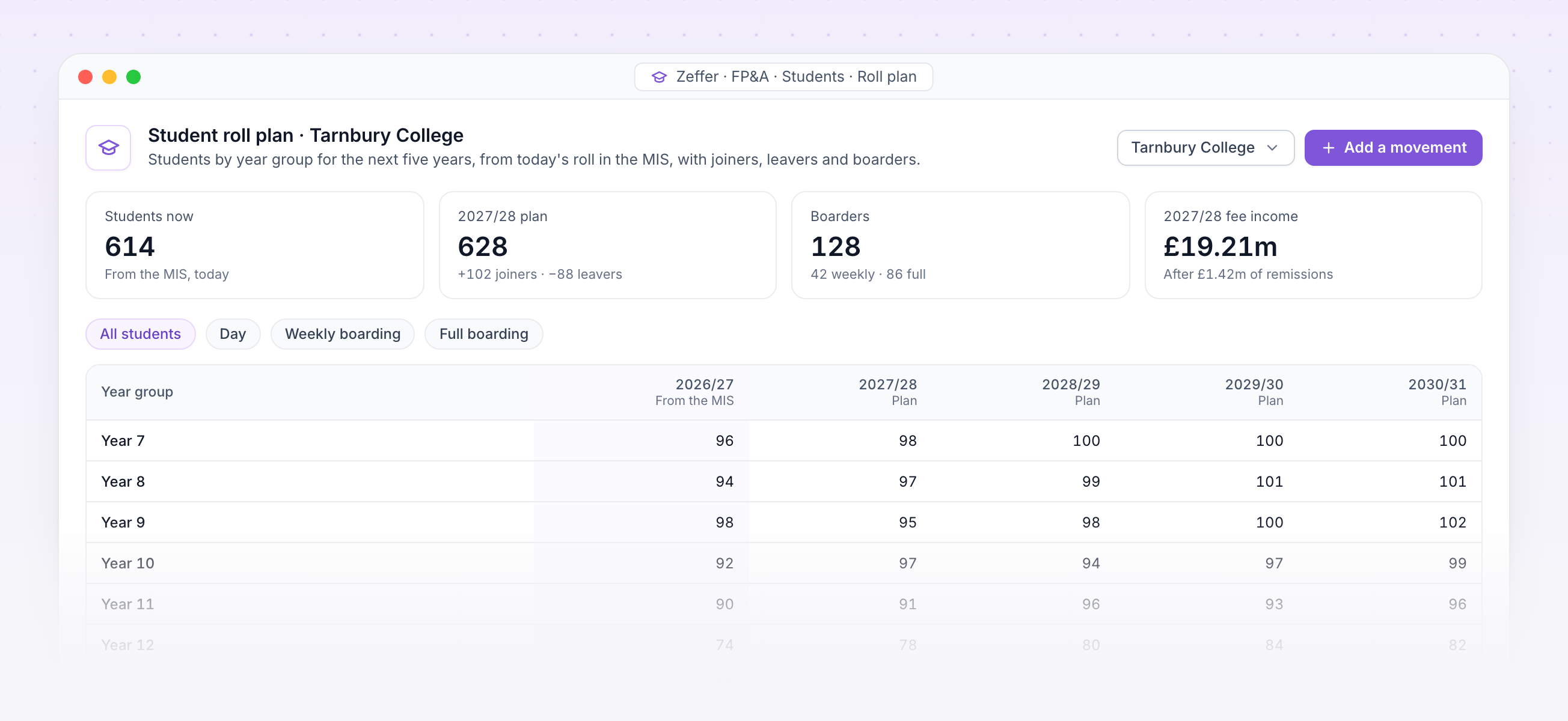
Student roll plan. Students by year group for the next five years, from today's roll in the MIS, with the fee income that follows.
Students sync from your MIS by year group and boarding type. Zeffer charges each at the termly fee, takes off remissions, and bills and collects by your term dates and fee payment profiles.
Staff, posts and pay feed in from Zeffer HR. Every job is costed month by month, with employer NI, pension and allowances, and charged to the analysis codes it belongs to.
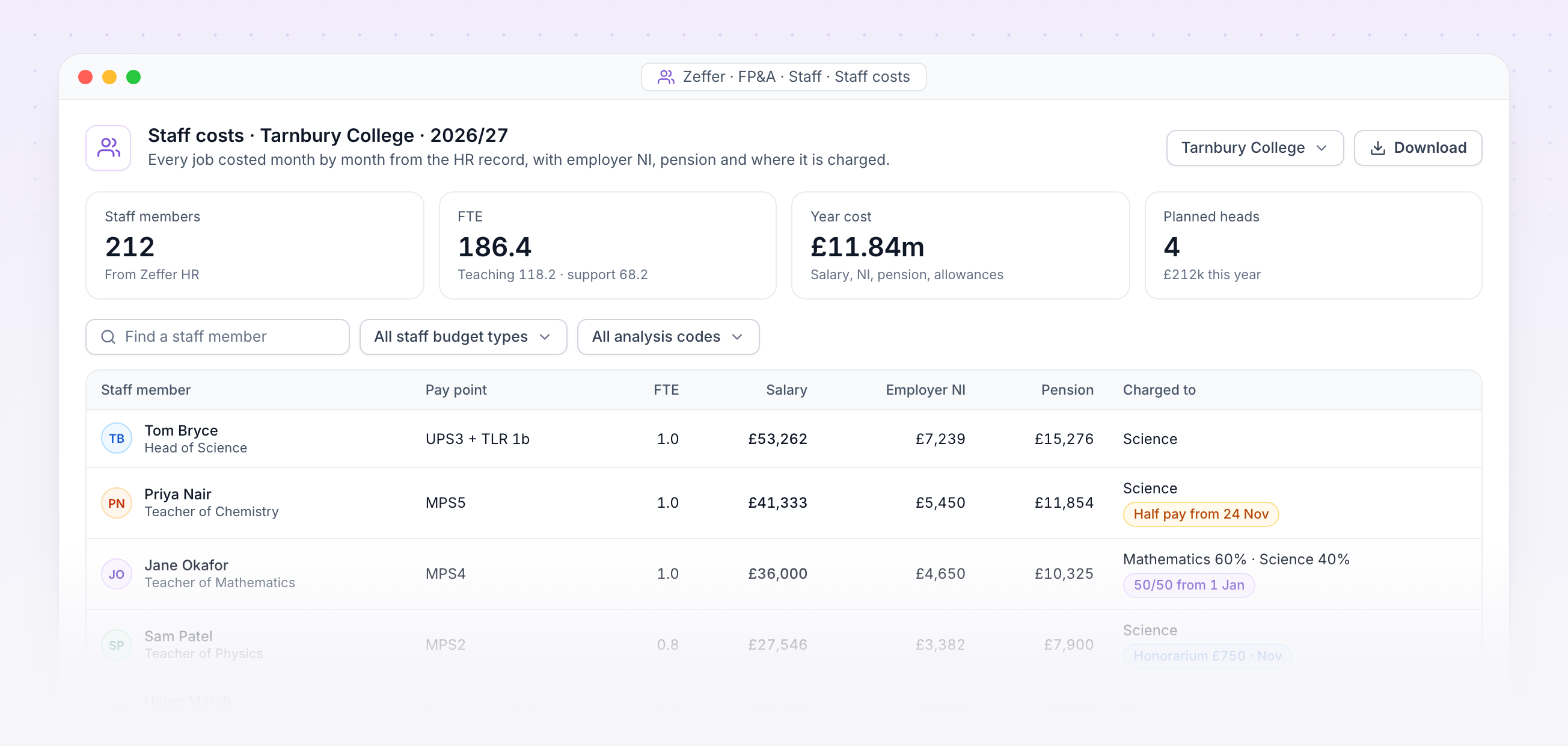
Staff costs. Each job with its pay point, salary, employer NI, pension and where it is charged, with sick pay and one-off payments flagged.
Recorded sickness, unpaid leave and family leave lower the cost for the days they cover.
An honorarium or an approved claim for extra hours is costed in the month it falls.
A job split across analysis codes is costed on each, month by month, to the penny.
Staff are costed on the pay scales HR has dated for each year.
The forecast and the payroll change list read the same pay calculation, so they cannot disagree.
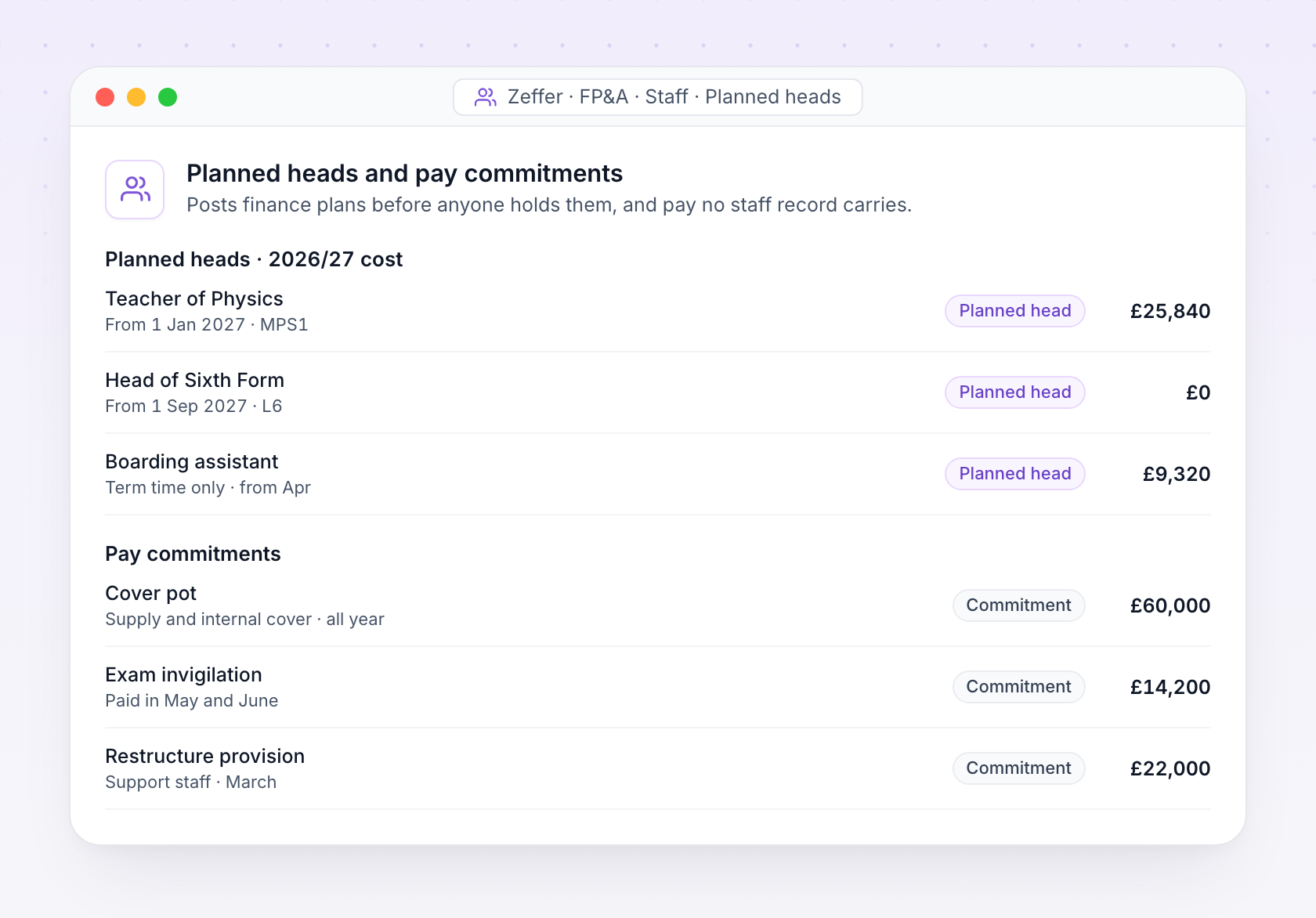
Plan vacancies and new posts before anyone is appointed, and budget the pay no staff record carries, such as cover, invigilation or a restructure.
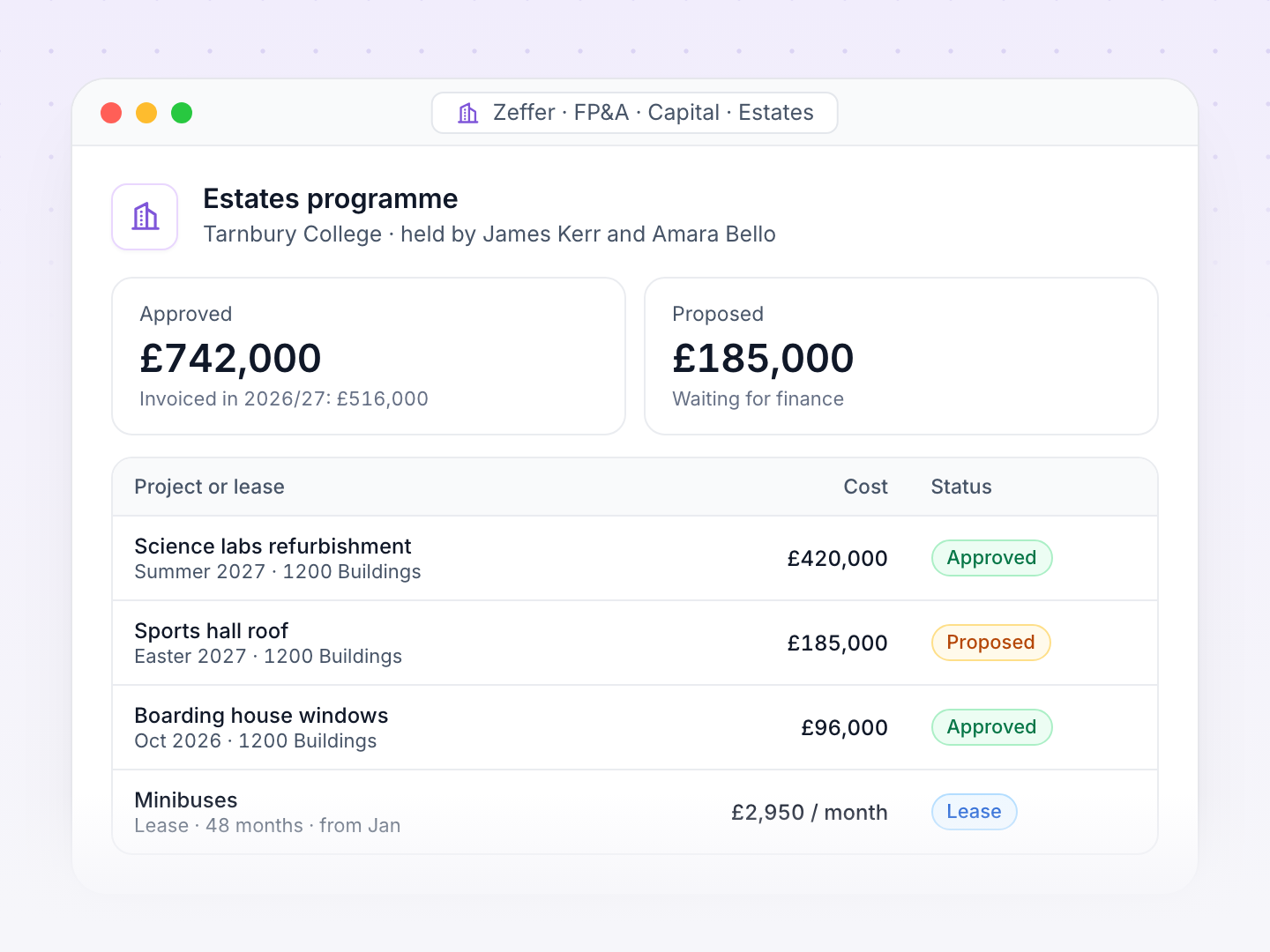
Capital projects and leases sit in programmes with their own holders. Loans carry their terms and covenants. All of it flows into the balance sheet and the cashflow.
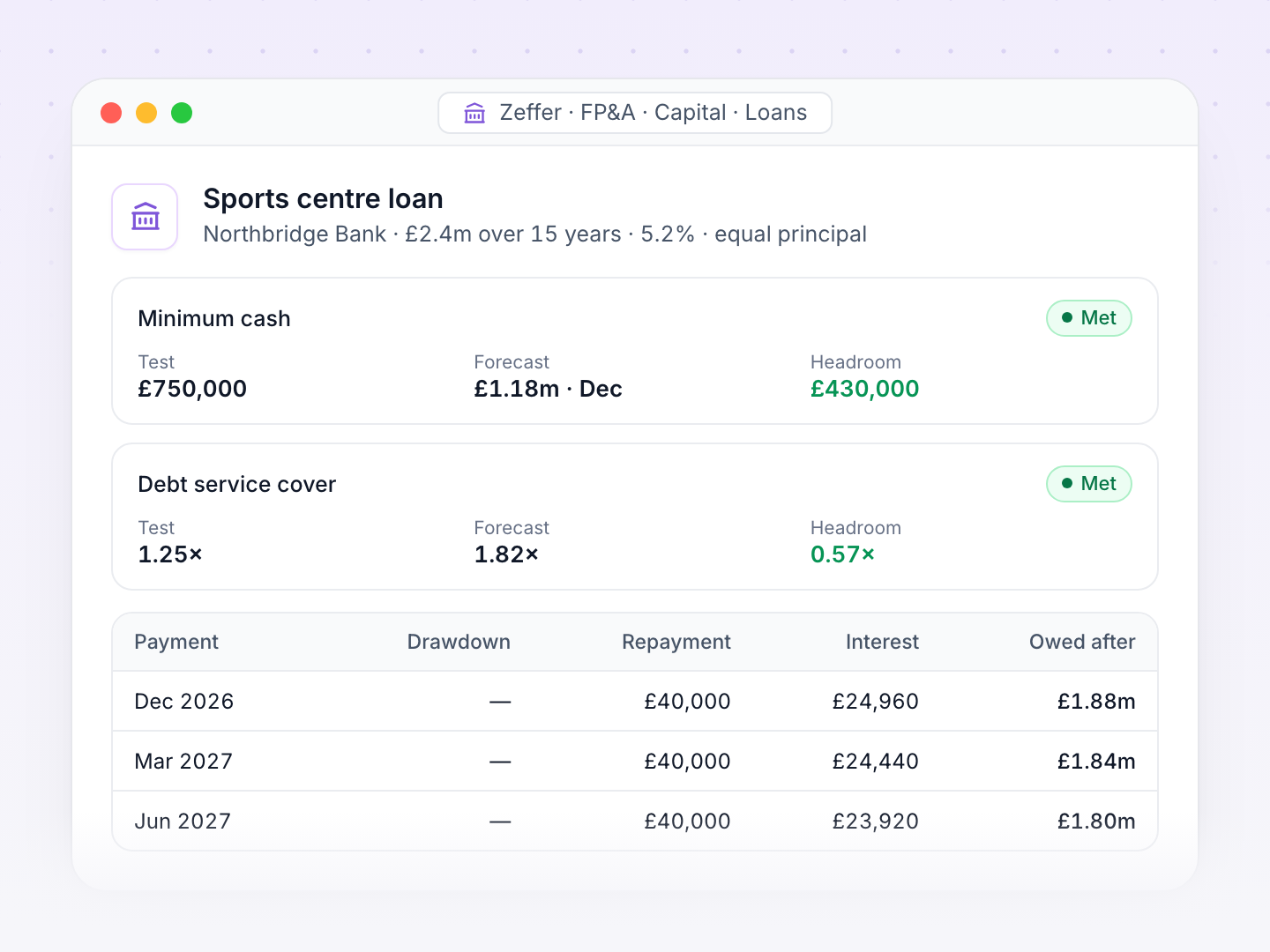
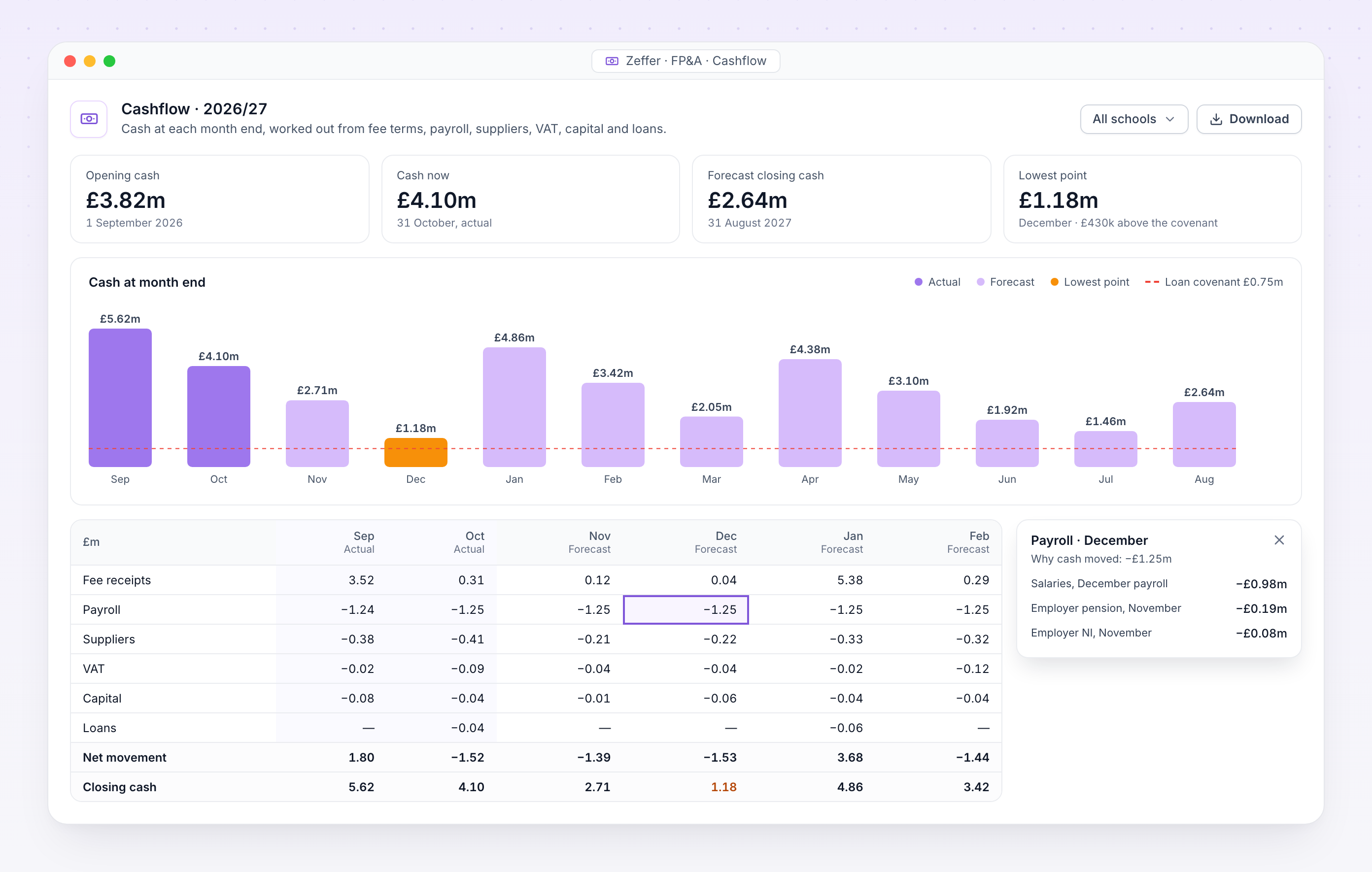
Cashflow. Opening, current and closing cash with the lowest point named, and why cash moved in any month.
Most school budgets stop at income and expenditure. Zeffer works out when every pound actually moves, so you see the cash position at each month end, and the month it is lowest, while there is still time to act.
Fees are billed by term date and collected on each fee payment profile, including bad debt.
Salaries, pension and NI leave in the months they are really paid.
Suppliers are paid on each line's own payment terms, invoice by invoice.
VAT is settled with HMRC on your schedule, including payments on account.
Click any figure to see why cash moved: fees, payroll, VAT, capital or loans.
The cashflow, the I&E and the balance sheet come from one set of drivers.
As soon as the month's trial balance arrives, the management accounts are ready: actuals to date, the forecast for the rest of the year and the budget beside them, for one school or the whole group.
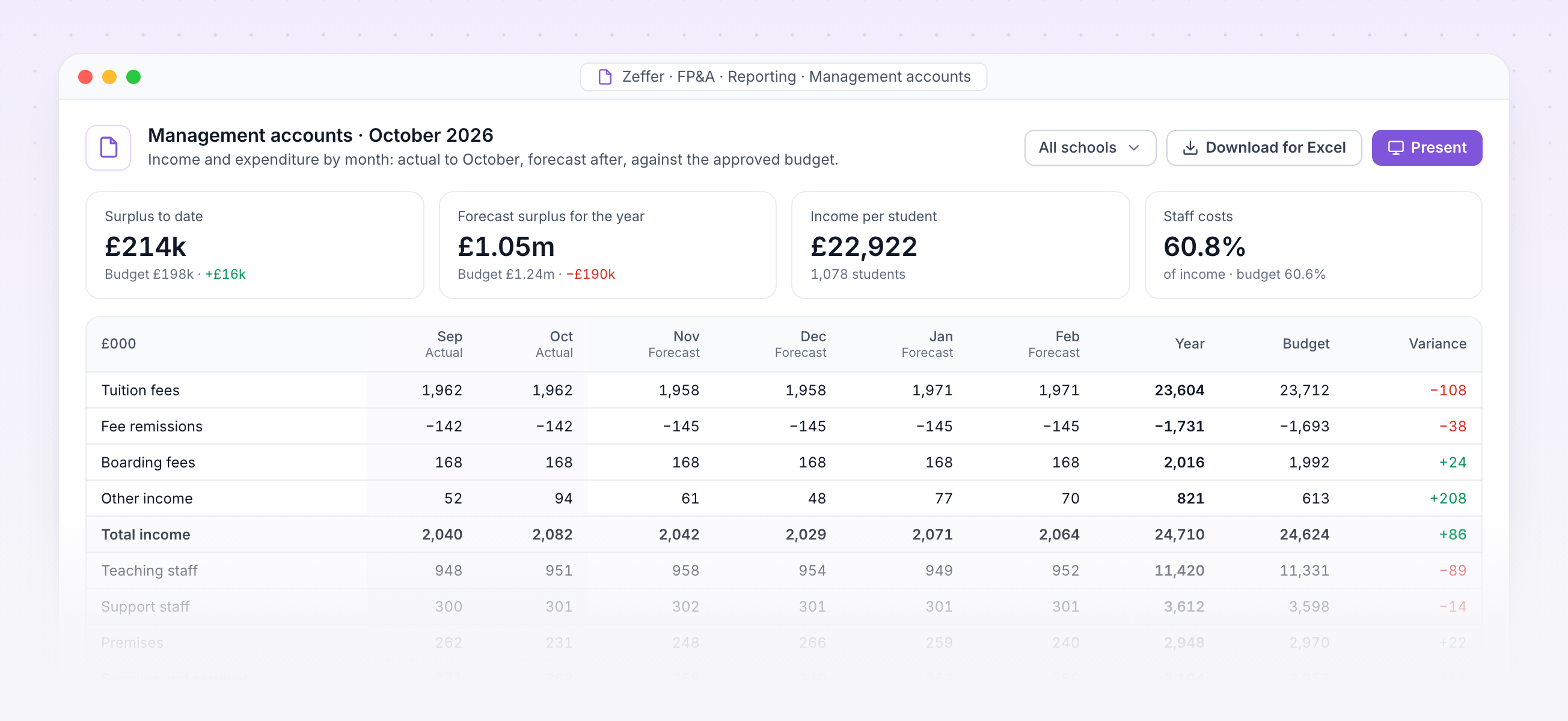
Management accounts. October's income and expenditure by month, actual then forecast, against the approved budget.
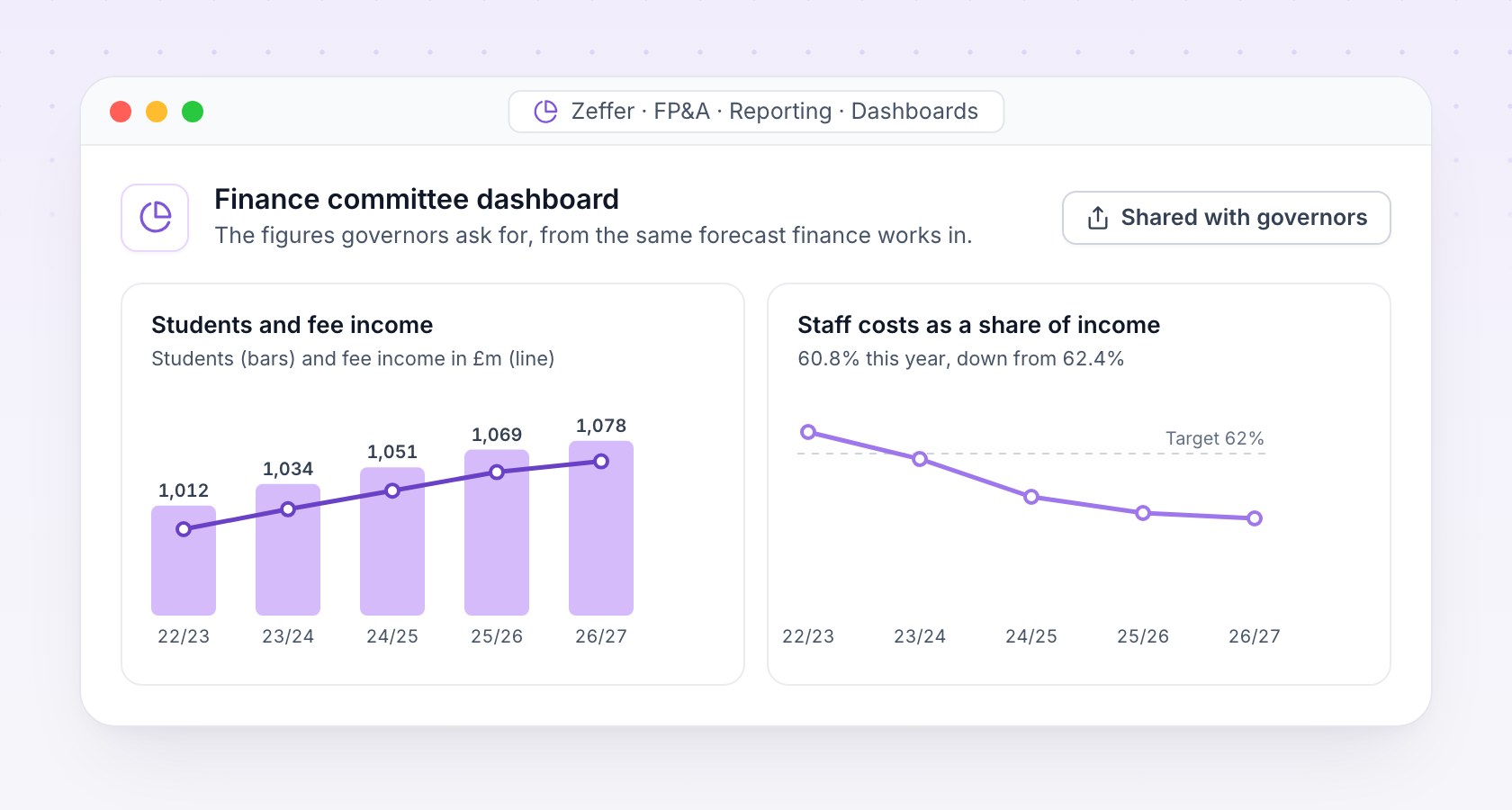
Build dashboards for the finance committee and the board from the same forecast, and share them with exactly the people who should see them.
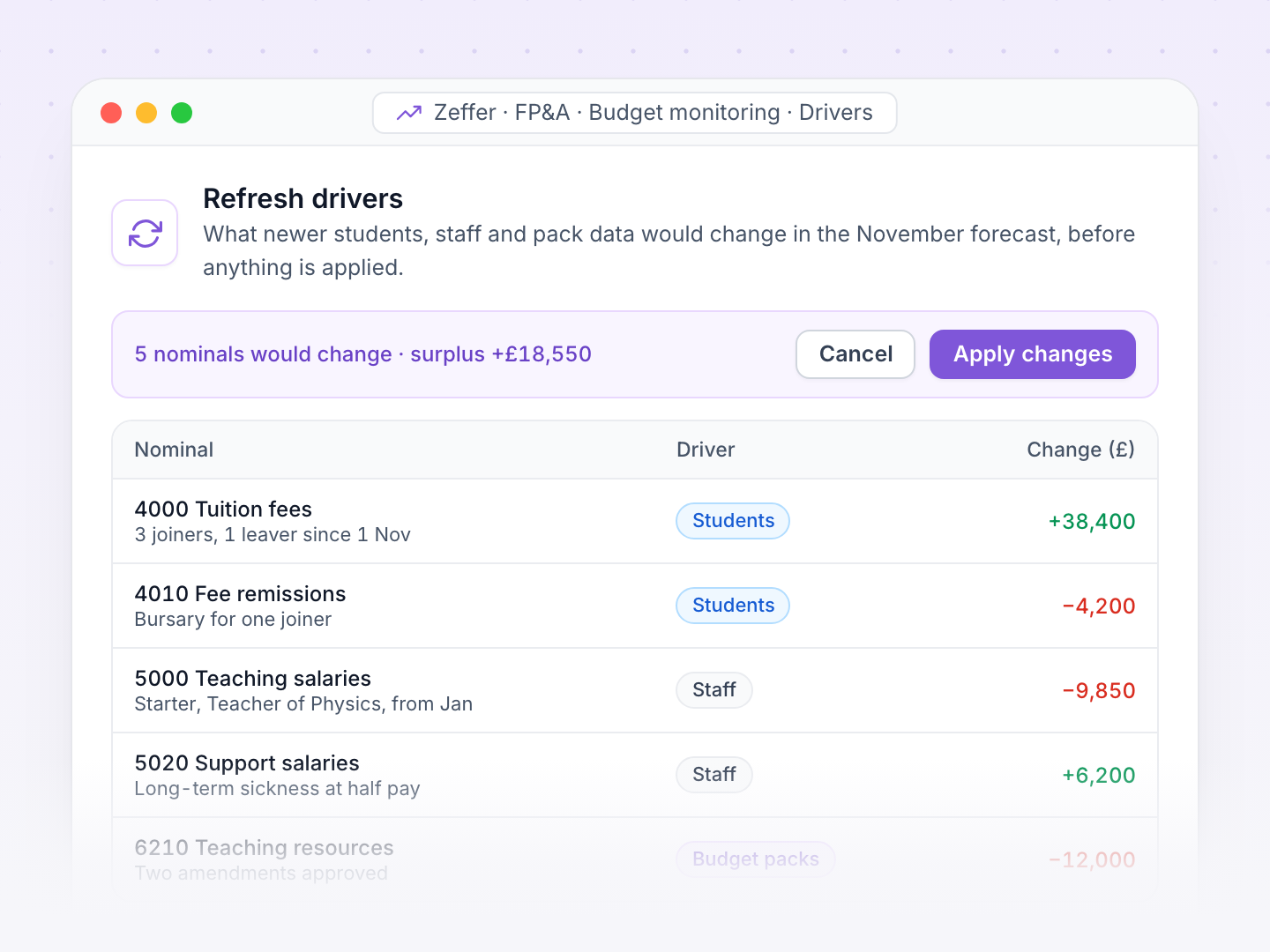
Zeffer connects to your accounting system, your MIS and Zeffer HR. Each month's trial balance replaces the forecast for the months that have closed, and student and staff changes reach the forecast as soon as you refresh it.
Finance closes the month in your accounting system.
Zeffer imports the trial balance for every school's nominals.
Actuals replace the forecast for the closed months.
Finance refreshes the drivers to take in new students, starters and amendments.
Management accounts and the bridge to budget are ready to present.
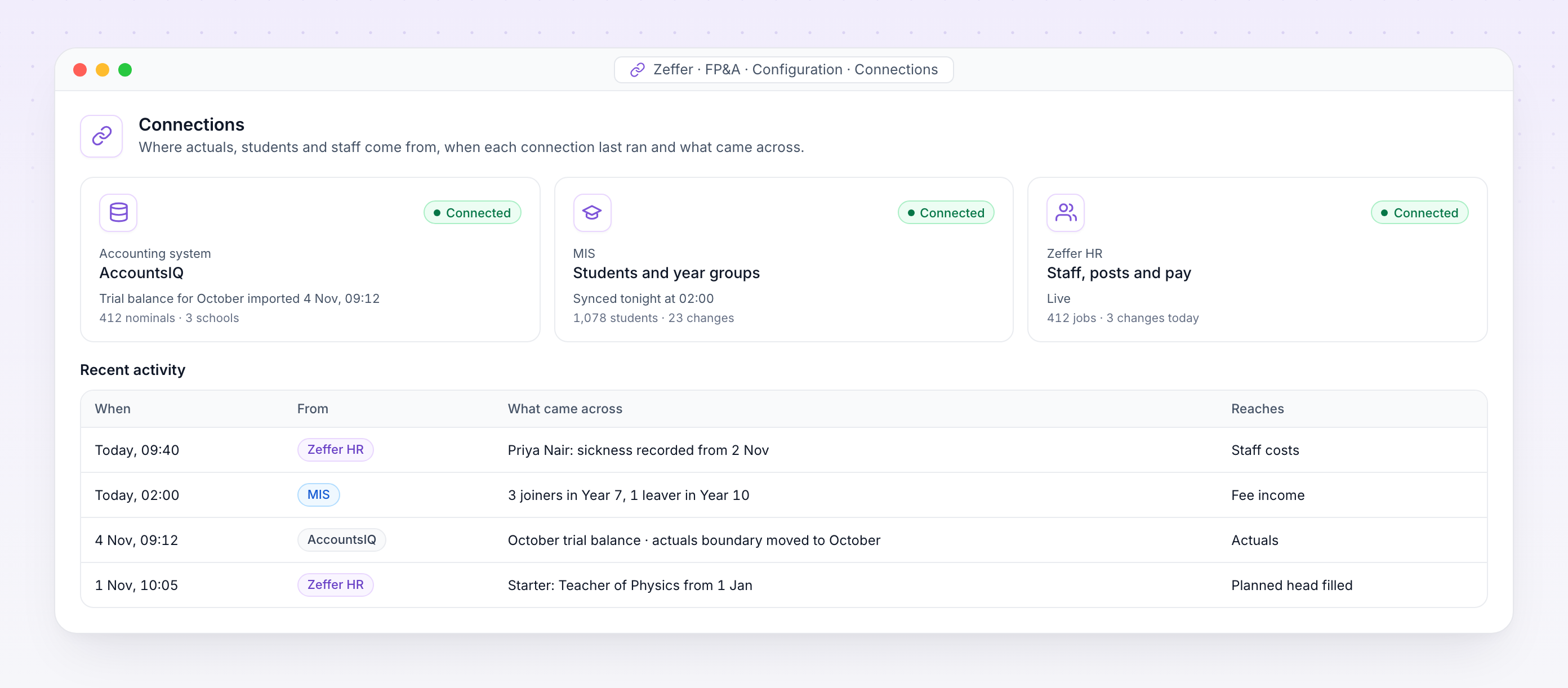
Connections. Where actuals, students and staff come from, when each connection last ran and what came across.
Trial balances by nominal and analysis code from AccountsIQ, Sage 50 or Sage Intacct, for every school in the group.
Students by school, year group and boarding type, so fee income follows the roll.
Staff, posts, pay, absence and one-off payments, live from the HR record.
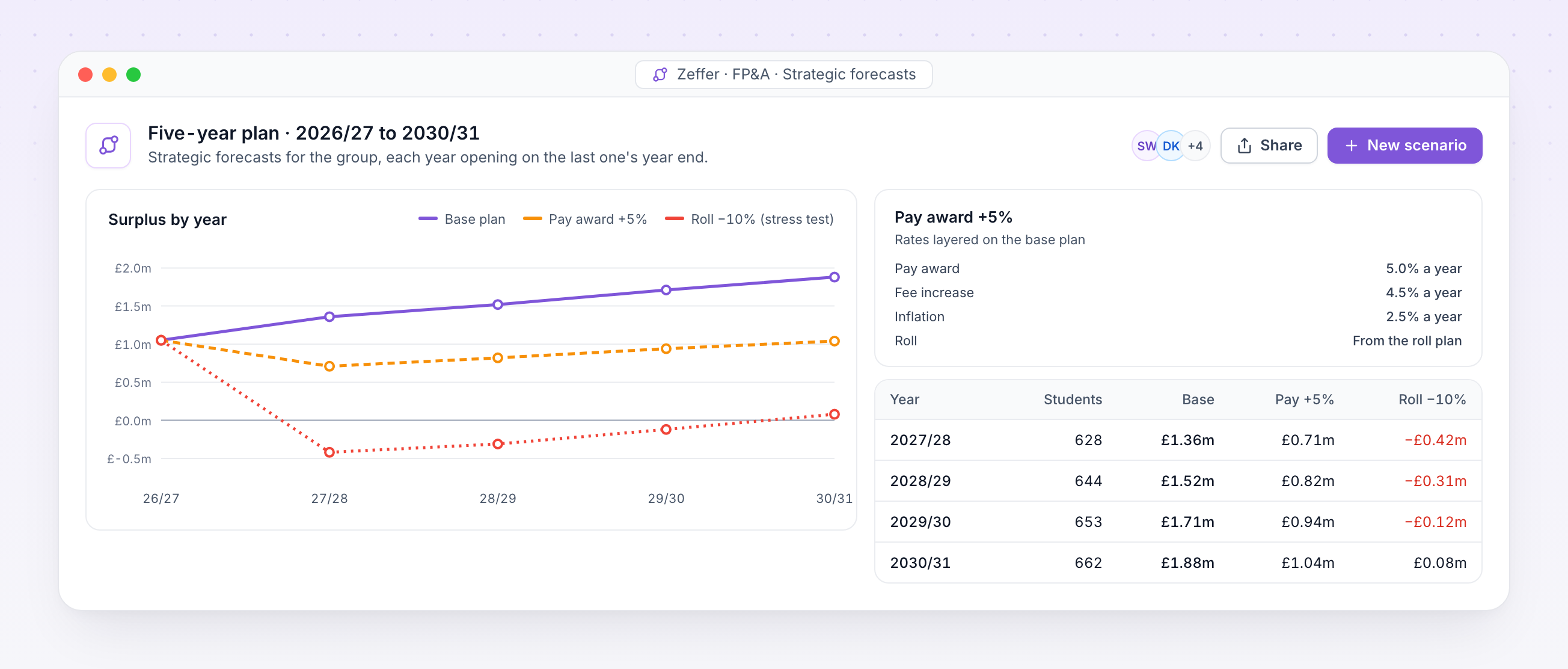
A strategic forecast runs the year forward for as many years as you need, each opening on the last one's year end. Layer assumptions on a fixed starting point and compare scenarios side by side.
Model a new boarding house, a fee change or a different roll, each as its own forecast.
Push the assumptions to extremes, such as a 10% fall in the roll, and see where the plan breaks.
Set the pay award, fee increases and inflation for each scenario's later years.
Move a scenario onto newer actuals or the approved budget, and keep its assumptions.
Students and staff joining or leaving in-year, owned by the scenario, not the budget.
Share a scenario with named governors, so the board sees the same plan as finance.
We will walk your finance team through budget packs, monthly forecasting, cashflow and five-year plans, using sample data for a school set up like yours.